

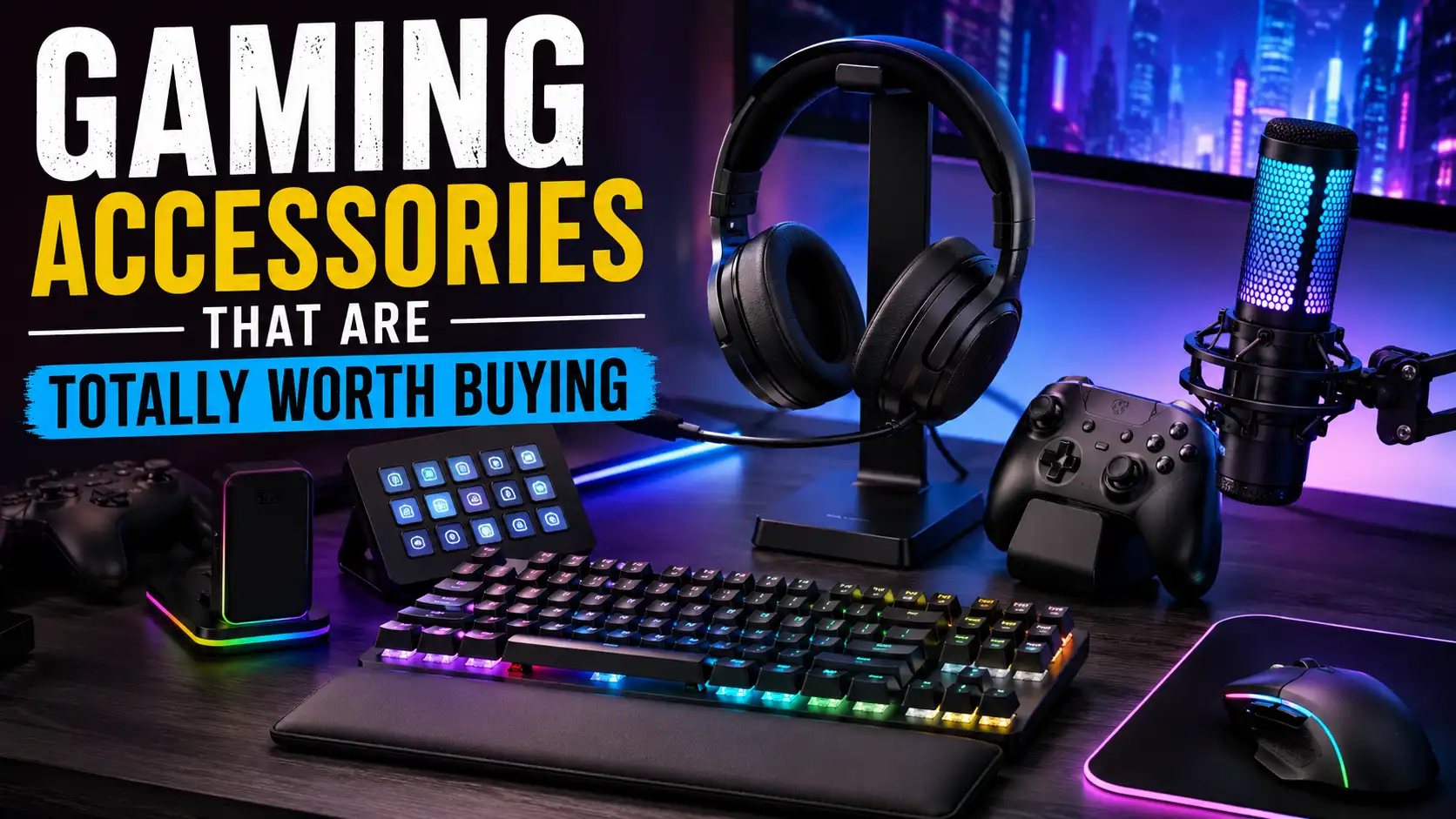
Gaming has evolved far beyond simply owning a powerful PC, gaming laptop, or modern console. While the main hardware determines how smoothly a game runs, the accessories surrounding that hardware shape how comfortable, responsive, and enjoyable every gaming session feels. A fast processor and powerful graphics card can produce beautiful visuals, but they cannot fix an inaccurate mouse, uncomfortable chair, muddy headset, or keyboard that feels slow beneath your fingers.
The right gaming accessories can improve nearly every part of the experience. They can help you react faster in competitive matches, hear subtle environmental sounds, control vehicles more naturally, and remain comfortable during long sessions. Even casual gamers can notice a major difference after replacing basic office equipment with accessories designed around gaming performance and ergonomics.
Think of your gaming setup like a sports car. The engine provides the raw power, but the steering, tires, brakes, and seats determine whether the car actually feels good to drive. Your PC or console works in a similar way. It provides the performance, while your keyboard, mouse, monitor, headset, controller, and chair determine how effectively you can use that performance.
However, building a better setup does not mean filling your desk with expensive products covered in RGB lighting. The best gaming accessories are not necessarily the most colorful or premium-looking options. They are the products that solve genuine problems, fit your gaming habits, and continue providing value long after the excitement of opening the box disappears.
Whether you enjoy competitive shooters, role-playing adventures, racing games, sports titles, fighting games, or relaxing simulation experiences, the following accessories deserve serious consideration. Each one offers practical benefits that can improve performance, comfort, immersion, convenience, or a combination of all four.
Why Gaming Accessories Matter
Gaming accessories directly affect how you interact with every game. Your hands may spend hours resting on a keyboard, mouse, or controller, while your eyes remain focused on the monitor and your ears depend on a headset for information. When one of these accessories feels uncomfortable, inaccurate, or unreliable, it can create small frustrations that eventually affect the entire experience. A poor mouse can disrupt aiming, weak audio can hide directional cues, and an uncomfortable chair can make even an exciting game difficult to enjoy.
Quality accessories remove these distractions and help the setup feel more natural. Instead of constantly noticing stiff keys, a dragging mouse cable, painful ear cushions, or limited storage, you can focus completely on what is happening inside the game. This matters for competitive players who need consistency, but it is equally valuable for casual gamers who simply want smoother visuals, clearer sound, easier controls, and better comfort after a long day.
More Than Just Looks
RGB lighting, aggressive shapes, and futuristic designs have become common in gaming products, but attractive styling does not automatically mean an accessory performs well. A keyboard can look incredible while using uncomfortable switches, and a stylish headset may become painful after an hour. Performance, compatibility, durability, and comfort should always be evaluated before appearance.
Aesthetics still have value because a clean and personalized setup can make gaming more enjoyable. The smarter approach is to choose products that combine good design with useful features rather than paying extra for decoration alone. An accessory that works reliably for several years will usually provide more value than a flashy product filled with features you rarely use.
Improving Comfort and Performance
Comfort and performance are closely connected. When your wrist, back, neck, or ears begin to hurt, concentration naturally decreases. You may grip the mouse too tightly, lean toward the screen, or constantly adjust your posture. These distractions can reduce accuracy, shorten gaming sessions, and make playing feel more tiring than it should.
Well-designed accessories help your body remain in a more natural position while providing predictable responses. A lightweight mouse reduces hand fatigue, a supportive chair encourages better posture, and a responsive keyboard makes commands feel more immediate. None of these products can replace practice or skill, but they can remove unnecessary limitations caused by poor equipment.
Best Gaming Accessories That Are Totally Worth Buying in 2026
1. Mechanical Gaming Keyboard
A mechanical gaming keyboard is one of the most noticeable upgrades you can add to a PC setup. Unlike a traditional membrane keyboard, a mechanical model uses an individual switch beneath each key. This design usually provides more consistent feedback, better durability, and a more responsive feeling during both gaming and everyday typing. Rapid movements, ability combinations, and repeated commands feel more deliberate because each press produces clear physical feedback.
Mechanical keyboards are also available in several layouts. Full-size keyboards include a number pad, tenkeyless models remove it to create more mouse space, and compact 75%, 65%, or 60% layouts save even more room. The ideal size depends on your desk, the games you play, and whether you use navigation keys or a number pad for work. Many models also support replaceable keycaps, detachable cables, and customizable lighting, allowing the keyboard to evolve with your setup.
Why Mechanical Switches Feel Better
Mechanical switches generally fall into three major categories: linear, tactile, and clicky. Linear switches move smoothly without a noticeable bump, which makes them popular for fast-paced gaming. Tactile switches provide a small bump that indicates when the key has activated, while clicky switches add both tactile feedback and a noticeable sound. No type is universally better because switch preference depends heavily on typing style, noise tolerance, and personal taste.
Durability is another major advantage. Many mechanical switches are designed to survive tens of millions of presses, making them suitable for keys that receive constant use, such as W, A, S, D, Shift, and Space. A good mechanical keyboard can remain reliable for years, and hot-swappable models allow damaged or unwanted switches to be replaced without buying an entirely new keyboard.
Best Features to Look For
Useful features include N-key rollover, anti-ghosting, hot-swappable sockets, onboard memory, durable stabilizers, and PBT keycaps. N-key rollover helps the keyboard register multiple simultaneous presses correctly, while hot-swappable sockets make it easy to change switches without soldering. PBT keycaps are also worth considering because they generally resist shine and wear better than thin ABS keycaps.
RGB lighting can improve visibility in a dark room, but it should remain a secondary consideration. Focus first on the layout, switch type, build quality, software compatibility, and overall comfort. A simple keyboard with excellent switches and dependable construction is often a smarter purchase than a heavily illuminated model with weak components.
2. Gaming Mouse
A gaming mouse directly influences aiming, camera movement, menu navigation, and many other actions. Basic office mice can handle simple tasks, but they may lack the sensor accuracy, polling rate, button quality, and ergonomic design needed for consistent gaming. Modern gaming mice provide precise optical sensors, adjustable sensitivity, programmable buttons, and shapes designed for different hand sizes and grip styles.
Shape matters more than impressive specifications. Palm-grip users often prefer larger mice that support most of the hand, while claw-grip and fingertip-grip players may prefer smaller, lighter designs that are easier to move quickly. Weight is equally personal. Lightweight mice are popular in competitive shooters, while slightly heavier models may feel more controlled in strategy games, productivity tasks, and slower-paced titles.
Precision Makes a Difference
A reliable gaming mouse tracks movement consistently without unwanted acceleration, skipping, or unpredictable behavior. This is especially valuable in games such as Counter-Strike 2, Valorant, Apex Legends, and Overwatch 2, where tiny aiming errors can determine the outcome of a fight. Better tracking also helps players develop muscle memory because the cursor responds the same way every time the mouse moves.
Extremely high DPI numbers may look impressive in advertisements, but higher sensitivity is not automatically better. Many experienced players use moderate or low sensitivity because it provides finer control. The most important factor is consistent tracking at your preferred settings, combined with switches that feel responsive and side buttons that are easy to reach without changing your grip.
Wired vs Wireless Gaming Mice
Modern wireless gaming mice offer low-latency performance that can feel nearly identical to wired models. They provide unrestricted movement, eliminate cable drag, and create a cleaner desk. Battery life has also improved, with many models lasting for days or weeks depending on usage, lighting, polling rate, and battery capacity.
Wired mice remain excellent for users who want a simple and affordable option. They never need charging and often cost less than wireless models with similar sensors and switches. The main drawback is cable resistance, although a lightweight flexible cable or mouse bungee can make the experience much smoother.
3. Gaming Headset
A quality gaming headset improves immersion, communication, and situational awareness. It can reveal footsteps, distant vehicles, environmental effects, and small details that basic laptop speakers may fail to reproduce clearly. In story-driven games, better audio makes dialogue and music more engaging, while horror games become more intense when every quiet sound feels close and accurately positioned.
A headset also combines headphones and a microphone in one convenient product. This makes it useful for multiplayer matches, Discord calls, streaming, and online meetings. When comparing options, pay attention to sound balance, microphone clarity, comfort, connection type, and build quality instead of focusing only on virtual surround sound or oversized driver specifications.
Better Sound, Better Awareness
Directional audio can help players identify whether a sound comes from the left, right, above, below, behind, or in front. In competitive games, this information may reveal an enemy before they appear on screen. Clear separation between footsteps, gunfire, dialogue, and background music is often more useful than extremely powerful bass.
Balanced audio also improves immersion outside competitive play. Rain sounds more natural, engines feel more convincing, and cinematic soundtracks gain greater depth. A good headset may even make familiar games feel fresh because details that were previously hidden become easier to notice.
Comfort for Long Sessions
Comfort depends on weight, clamping pressure, headband padding, ear cup size, cushion material, and weight distribution. Breathable fabric cushions tend to feel cooler, while synthetic leather may provide stronger isolation from outside noise. Large ear cups are preferable for users whose ears become uncomfortable inside smaller designs.
The microphone should reproduce speech clearly without making the voice sound distant or heavily compressed. Detachable, retractable, or flip-to-mute microphones add convenience when the headset is also used for music or travel. Wireless models offer freedom of movement, but wired models may provide better value and remove battery concerns.
4. High Refresh Rate Monitor
A high refresh rate monitor is one of the most obvious visual upgrades available to gamers. A standard 60Hz monitor refreshes its image 60 times per second, while 144Hz, 165Hz, or 240Hz displays update much more frequently. This makes camera movement, animations, scrolling, and moving objects appear smoother and more responsive.
Higher refresh rates are particularly useful in shooters, racing games, action titles, and competitive multiplayer games. However, refresh rate is only one part of monitor quality. Resolution, contrast, panel type, color accuracy, brightness, response time, and adaptive synchronization should also influence the decision. Your computer or console must also produce enough frames per second to take proper advantage of the monitor.
Why Refresh Rate Matters
A higher refresh rate reduces the amount of time between displayed frames, making movement easier to follow. Fast targets may appear clearer, and camera turns feel less choppy. Gaming monitors are also commonly designed with low input delay, allowing actions from the mouse, keyboard, or controller to appear on screen more quickly.
Adaptive synchronization features help match the monitor’s refresh rate with the frame rate produced by the graphics card. This can reduce screen tearing and stuttering when performance changes. Resolution should be selected according to hardware capability, with 1080p favoring high frame rates, 1440p balancing sharpness and performance, and 4K demanding significantly more graphics power.
144Hz vs 240Hz
For most players, 144Hz or 165Hz offers the best balance between smoothness, price, and system requirements. The improvement from 60Hz to 144Hz is usually easy to notice, even during normal desktop use. It provides a meaningful upgrade without requiring the extreme frame rates demanded by faster monitors.
The jump from 144Hz to 240Hz is less dramatic, but serious competitive players may appreciate the additional motion clarity and slightly lower perceived latency. Casual gamers should not feel pressured to choose the largest number. A well-built 144Hz or 165Hz monitor with good colors and adaptive sync may provide better overall value than a lower-quality 240Hz display.
If you’re planning to upgrade your gaming setup, pairing these accessories with a capable gaming machine is equally important. You can also check out The Best Cheap RTX 3060 Gaming Laptops You Can Get Today for affordable gaming laptops that still deliver excellent performance for modern games.
5. Controller for PC Gaming
Keyboard and mouse controls work extremely well for shooters, strategy games, and titles with many commands, but some genres feel more natural with a controller. Racing games, fighting games, sports titles, platformers, and many action RPGs benefit from analog sticks, triggers, vibration, and a compact button layout.
Analog input allows gradual movement rather than the simple pressed-or-not-pressed behavior of most keyboard keys. This makes steering, acceleration, braking, and character movement smoother. Controllers also support a more relaxed posture, allowing players to lean back or play on a television instead of remaining close to a desk.
Not Every Game Feels Better With Keyboard and Mouse
Games such as Elden Ring, Forza Horizon 5, EA Sports FC, Street Fighter 6, and many platformers often feel more intuitive with a gamepad. Analog movement offers finer control, while triggers work naturally for acceleration, braking, aiming, and certain combat actions. Vibration and advanced haptic feedback can also make impacts and environmental effects feel more convincing.
A controller should be viewed as an additional option rather than a replacement for keyboard and mouse. The ability to switch control methods lets you choose the device that best fits each genre. Before buying, check compatibility with your operating system, game launcher, preferred connection method, and the games you actually play.
6. Mouse Pad
A mouse pad may appear simple, but it can improve tracking consistency, comfort, and desk protection. A dedicated surface gives the mouse sensor a predictable texture, helping movements feel consistent across the entire usable area. This is especially important for players who rely on muscle memory and repeat the same aiming movements during competitive matches.
Gaming mouse pads come in small, medium, large, and extended sizes. Large pads provide more room for low-sensitivity movements, while extended models can support both the keyboard and mouse. They also protect the desk from scratches and create a cleaner, more organized appearance at a relatively low cost.
Why Size and Material Matter
Low-sensitivity players often move the mouse across a wide area, so a small pad can force frequent lifting and repositioning. A larger surface allows sweeping movements without the mouse reaching the edge during an important moment. Before purchasing, measure the available desk space and consider how much room the keyboard, monitor stand, and other accessories occupy.
Cloth pads generally provide a comfortable balance between speed and control, while hard pads allow faster movement and easier cleaning. Hybrid surfaces attempt to combine both characteristics. Thickness also matters because a thicker pad can smooth out an uneven desk and cushion the wrist, while a thin pad may feel more direct and stable.
7. Gaming Chair
A chair does not increase frame rates, but it strongly influences comfort and concentration. Many gamers sit for several hours at a time, and an unsupportive chair can contribute to back discomfort, neck tension, shoulder fatigue, and poor posture. These problems can shorten sessions and make gaming feel unnecessarily exhausting.
The word “gaming” is not automatically a guarantee of quality. A well-designed ergonomic office chair can be just as suitable, and sometimes better, than a racing-style gaming chair. Focus on adjustability, seat dimensions, lumbar support, armrest positioning, material quality, and whether the chair fits your height and body type.
Ergonomics and Long-Term Comfort
Helpful adjustments include seat height, backrest angle, armrest height, lumbar support, and seat depth. Your feet should rest comfortably on the floor, your shoulders should remain relaxed, and your forearms should receive support without forcing the wrists upward. The monitor should also sit close to eye level to reduce neck strain.
Extremely soft cushioning is not always better because it may lose support during long sessions. A structured seat that distributes weight evenly often remains more comfortable over time. Even with an excellent chair, regular standing, stretching, and walking breaks remain important because no chair can remove every effect of prolonged sitting.
8. External SSD
Modern games can consume enormous amounts of storage, especially after updates, downloadable content, and high-resolution texture packs are installed. An external SSD provides additional capacity without requiring complicated internal installation. It connects through USB and can store games, recordings, screenshots, project files, and backups.
Compared with a mechanical hard drive, an SSD is faster, quieter, and more resistant to physical shock because it has no spinning disks. It is particularly useful for gaming laptops, compact PCs, and consoles with limited internal storage. Before buying, verify the supported USB standard, device compatibility, and whether the platform allows games to run directly from the external drive.
Faster Loading Times and More Storage
An external SSD can significantly reduce file transfer times and may improve loading performance compared with an external hard drive. Actual game loading speed depends on the title, platform, drive, and connection. A fast SSD connected through a slow USB port will not deliver its maximum advertised performance.
Capacity should be selected according to the size of your library. A 500GB drive can handle several smaller games, while 1TB or 2TB offers more flexibility for large modern titles. Console users should check platform-specific restrictions because some systems allow older games to run externally but require newer titles to be moved back to internal storage.
How to Prioritize Your Gaming Setup
You do not need to purchase every accessory at the same time. Start by identifying the weakest part of your current setup. An inaccurate or uncomfortable mouse should be replaced before buying decorative lighting, while a painful chair may deserve priority over a newer keyboard. The most valuable upgrade is usually the one that solves a problem you experience during every session.
Create a realistic budget and separate accessories into essential, useful, and optional categories. Upgrade gradually so you can evaluate whether each purchase genuinely improves the experience. Avoid replacing equipment that still works well simply because a newer version exists. A dependable accessory can remain useful for years, even when manufacturers release updated models.
Common Mistakes When Buying Accessories
One common mistake is choosing accessories based only on RGB lighting, branding, or impressive specifications. Extremely high DPI, oversized headset drivers, and extreme refresh rates can look attractive in marketing, but they do not guarantee better comfort or real-world performance. Size, shape, build quality, software support, and compatibility often matter more.
Another mistake is assuming that the most expensive option must be the best. Mid-range products frequently provide nearly the same practical performance as premium alternatives. Check measurements, connection requirements, warranty coverage, and long-term reviews before purchasing. A discounted product is not a good deal when it does not fit your hand, body, platform, or gaming habits.
Conclusion
Gaming accessories are more than decorative additions to a desk. They influence comfort, control, immersion, responsiveness, and convenience every time you play. A mechanical keyboard can make inputs feel more satisfying, while a precise gaming mouse supports consistent aiming and movement. A good headset provides clearer audio, and a high refresh rate monitor makes fast motion feel noticeably smoother.
Controllers expand the number of genres that can be played comfortably, while a quality mouse pad provides a predictable tracking surface. A supportive chair can reduce fatigue during longer sessions, and an external SSD provides valuable space for increasingly large game libraries. Each accessory solves a different problem, so the best purchase depends on your current setup and the types of games you enjoy.
There is no need to buy everything immediately or choose the most expensive product in every category. Start with the accessory that currently causes the most frustration, whether that is uncomfortable seating, weak audio, limited storage, or unreliable controls. Prioritize practical features, compatibility, durability, and comfort before appearance.
The best gaming setup is not the one with the most RGB lighting or the highest price tag. It is the setup that feels comfortable, responsive, dependable, and enjoyable every time you sit down to play. Smart accessories should disappear into the experience, allowing you to focus on the game rather than the equipment surrounding it.
FAQs
1. Which gaming accessory should I buy first?
The best first purchase depends on your current setup. PC gamers often benefit most from a reliable gaming mouse because it directly affects aiming, navigation, and comfort. A quality headset may be a better starting point when communication and directional audio are more important.
2. Are expensive gaming accessories always better?
No. Premium accessories may include better materials, advanced customization, or additional features, but many mid-range products offer excellent performance and durability. Choose a product based on your needs, comfort, compatibility, and budget rather than price alone.
3. Is a gaming chair really necessary?
A chair specifically marketed for gaming is not essential, but a comfortable and adjustable chair is highly recommended. A good ergonomic office chair can also work extremely well. Focus on lumbar support, seat dimensions, armrest adjustment, and overall fit.
4. Are wireless gaming accessories suitable for competitive gaming?
Yes. Modern wireless mice, keyboards, headsets, and controllers can offer extremely low latency and reliable connections. Many competitive players use wireless equipment, although battery life, receiver placement, and possible interference should still be considered.
5. How long do quality gaming accessories usually last?
Well-made gaming accessories can last several years with proper care. Keyboards and monitors often have long useful lives, while mice, headsets, and controllers may experience faster wear due to switches, batteries, cables, cushions, and moving components. Regular cleaning and careful storage can help extend their lifespan.