

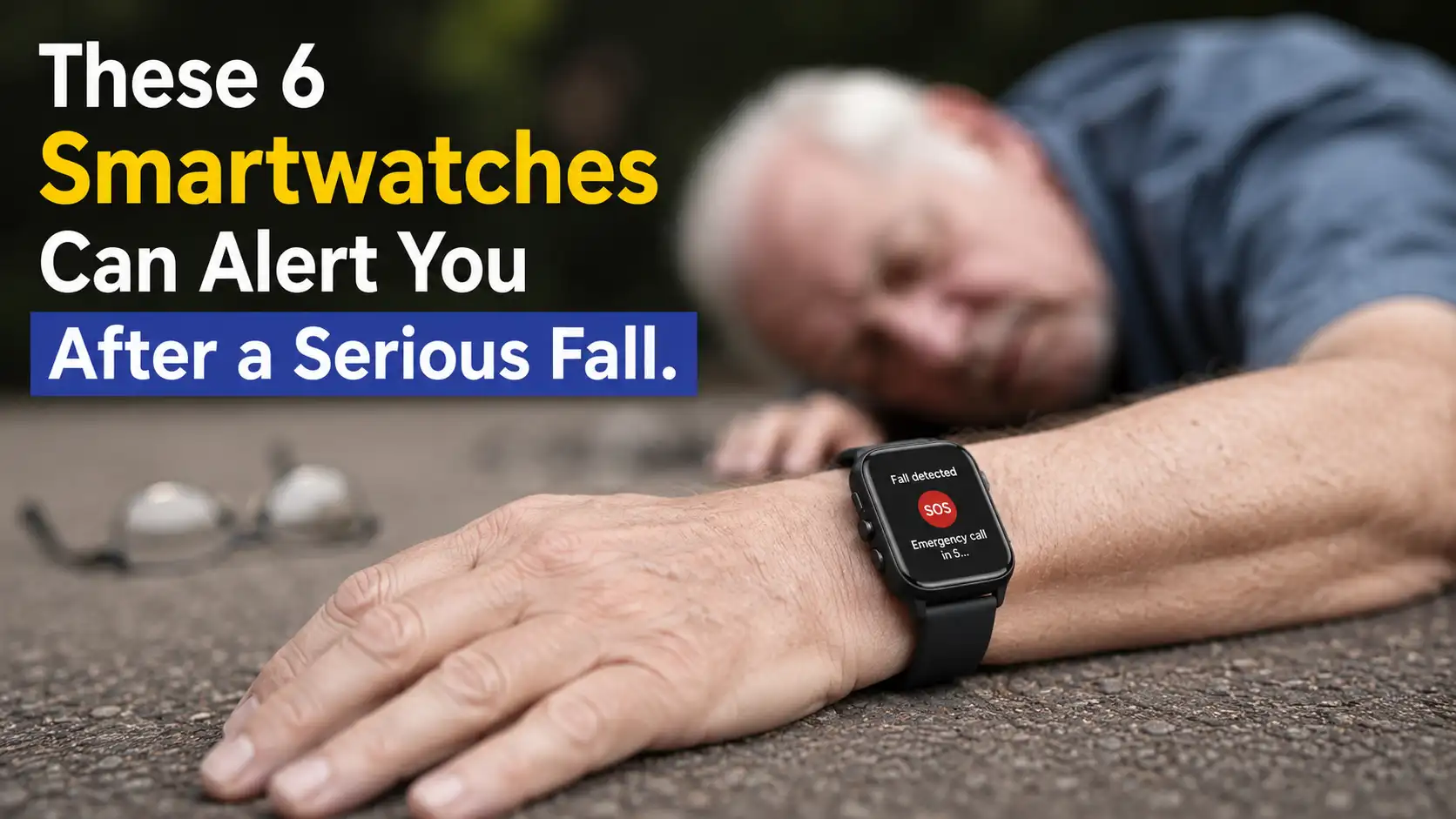
A smartwatch can do much more than count your steps, track workouts, display notifications, or remind you to stand up after sitting too long. Modern smartwatches are increasingly becoming compact safety devices that stay on your wrist throughout the day. One particularly useful feature is fall detection, which can recognize a potentially serious fall and initiate an alert when you may not be able to reach your smartphone yourself.
This feature can be especially valuable for people who exercise alone, spend time outdoors, live independently, or simply want another layer of protection during everyday activities. A fall can happen in seconds. You could slip on a wet bathroom floor, lose your balance while climbing stairs, crash while cycling, or fall on an isolated hiking trail. In some situations, the person who falls may be unable to unlock a phone, find a contact, or make an emergency call manually.
However, not every smartwatch handles fall detection in exactly the same way. Some watches can communicate with emergency services directly, while others rely on a paired smartphone and send an alert to selected emergency contacts. Cellular connectivity, satellite communication, location services, software settings, and regional availability can all affect how the feature works.
That’s why choosing a smartwatch for fall detection isn’t simply about finding a model with the words “fall detection” on its specification sheet. You need to understand what happens after the watch detects a fall, how quickly it reacts, whether you can cancel a false alarm, and whether it can actually communicate when your phone isn’t nearby.
Why Fall Detection Matters on a Smartwatch
A serious fall can become dangerous surprisingly quickly. You might slip on a wet floor, fall while cycling, tumble down stairs, lose your balance while running, or trip during a hike. The biggest problem isn’t necessarily the impact itself. It’s what happens afterward if you’re injured, unconscious, confused, or physically unable to reach your phone and call someone for help.
Fall detection attempts to bridge that gap by putting an emergency-monitoring system directly on your wrist. Instead of requiring you to recognize the problem, unlock your phone, open an app, and contact someone, the smartwatch can analyze movement around the incident and determine whether it resembles a hard fall. If the watch detects something suspicious, it can alert you and provide an opportunity to confirm that you’re okay. If you don’t respond, certain models can automatically escalate the situation by contacting emergency services or notifying designated emergency contacts.
How Smartwatch Fall Detection Works
Fall detection uses sensors such as accelerometers and gyroscopes to monitor movement, acceleration, orientation, and changes in wrist position. When the device detects a sudden movement pattern that resembles a hard impact followed by an unusual change in motion, its software can analyze those signals to determine whether a fall may have occurred. Different manufacturers use different algorithms, so two watches may react differently to the same incident.
Sensors Behind Fall Detection
Accelerometers measure changes in motion and acceleration, while gyroscopes help determine how the watch and your wrist are rotating or changing orientation. Together, these sensors give the software information about what your wrist was doing before, during, and after a potential accident, although they cannot guarantee that every fall will be recognized.
What Happens After a Fall Is Detected
Once a potential fall is detected, the watch can vibrate, sound an alert, or display an emergency prompt. If you’re conscious and okay, you can usually cancel the alert. If you don’t respond within the required period, certain watches can escalate the incident by contacting emergency services, notifying emergency contacts, or sharing your location, depending on the model and available connectivity.
Best Smartwatches With Fall Detection and Emergency Alerts
If fall detection is one of your main reasons for buying a smartwatch, the six models below are worth looking at. They don’t all offer exactly the same emergency system, and that’s important to understand before making a purchase. Some focus on automatically contacting emergency services, while others are designed to notify trusted contacts with your location.
The right choice ultimately depends on your smartphone ecosystem, location, lifestyle, and connectivity. An outdoor adventurer may prioritize satellite emergency communication, while someone looking for everyday protection may care more about automatic fall detection and easy emergency-contact setup.
1. Apple Watch Series 11
The Apple Watch Series 11 is one of the most recognizable choices if fall detection is high on your list of priorities. Its Fall Detection feature is designed to recognize a hard fall and, when supported and properly configured, can help contact emergency services if you remain unresponsive. The watch can also work with Emergency SOS and emergency contacts, giving users several ways to get assistance when they may not be able to reach their iPhone.
What makes the Series 11 particularly interesting is how naturally its safety features fit into everyday use. You don’t have to wear a bulky emergency device or carry a dedicated medical alert system. The watch sits on your wrist like a normal smartwatch while quietly monitoring movement. If something goes wrong during a walk, workout, bike ride, or ordinary day at home, its emergency features can potentially step in when manually making a call isn’t practical.
Why Apple Watch Series 11 Stands Out
The Series 11 combines Fall Detection with Emergency SOS and location-related safety features, creating a useful safety package in a relatively compact device. After detecting a hard fall, the watch can alert you and give you an opportunity to respond. If you need assistance and don’t cancel the alert, the emergency process can continue according to the available connectivity and regional support.
For iPhone users, the ecosystem integration is another major advantage. Emergency contacts, location information, communication features, and smartwatch settings can work together rather than being scattered across multiple devices. That makes the Apple Watch Series 11 a particularly convenient option for someone who wants fall detection without having to build a separate emergency setup.
Emergency Contacts and Emergency Services
Apple Watch can automatically attempt to contact emergency services after a hard fall when you remain unresponsive and the required connectivity is available. You can also configure emergency contacts so trusted people can receive information about an emergency. Before relying on the feature, however, it’s important to check your Emergency SOS settings, confirm your contacts are correct, and understand whether your particular watch configuration requires an iPhone, cellular service, or another supported connection.
2. Apple Watch Ultra 3
The Apple Watch Ultra 3 takes Apple’s fall detection and emergency features and puts them into a more rugged smartwatch aimed heavily at outdoor users. It includes Fall Detection and Emergency SOS alongside GPS and other outdoor-oriented capabilities, making it an appealing option for hikers, cyclists, runners, campers, and people who regularly travel away from busy urban areas.
The difference becomes particularly noticeable when you consider where an accident might happen. Falling in a crowded shopping center is very different from falling alone on a mountain trail. In the first situation, someone nearby might notice almost immediately. In the second, you may have to depend on the technology you’re carrying. That’s where the Ultra 3’s broader outdoor and emergency capabilities can become much more valuable.
A Strong Choice for Outdoor Adventures
The Ultra 3 is designed for people who may spend significant time away from conventional connectivity. Its rugged construction and outdoor features complement its emergency functions, making it a strong candidate for people who don’t want their safety technology limited to urban environments. If you regularly hike, trail-run, cycle long distances, or explore unfamiliar areas, having fall detection on your wrist can provide an additional layer of reassurance.
It also doesn’t require you to be an extreme adventurer to benefit from it. Frequent travelers, outdoor workers, and anyone who spends time in areas with unreliable cellular coverage may appreciate the added safety capabilities. The key advantage is that the watch is designed around the idea that emergencies don’t always happen somewhere with perfect phone reception and people nearby.
Satellite Emergency SOS
One of the Ultra 3’s biggest safety advantages is its satellite-based Emergency SOS capability in supported situations. When cellular and Wi-Fi connections aren’t available, satellite communication can provide another route to emergency assistance, provided the feature is supported in the user’s region and the required conditions are met. This makes the Ultra 3 particularly compelling for outdoor users who venture beyond normal cellular coverage.
Satellite connectivity doesn’t mean the watch can magically communicate from absolutely anywhere, though. Regional availability, environmental conditions, and the ability to establish a satellite connection can affect how the feature works. It’s therefore important to check Apple’s current availability information before assuming satellite Emergency SOS will work during an overseas adventure or in a particular country.
3. Samsung Galaxy Watch8
The Samsung Galaxy Watch8 is a strong alternative for Android users who want smartwatch safety features without switching to Apple’s ecosystem. Samsung includes Hard Fall Detection on compatible Galaxy Watch models, allowing the watch to recognize a potentially serious fall and trigger an emergency response. Depending on the configuration and available connectivity, the feature can help send an SOS message and relevant information to emergency contacts.
One advantage of the Galaxy Watch8 is that its fall detection can be configured around different situations. Users can choose settings that make sense for their lifestyle rather than treating every sudden movement as an emergency. That flexibility can be useful if you regularly exercise, because intense workouts can sometimes create movements that resemble an accidental fall. The watch can provide an alert first, giving you an opportunity to cancel it when you’re completely fine.
Hard Fall Detection and SOS
Samsung’s Hard Fall Detection is designed to recognize a hard impact that may indicate a fall. When the watch detects a potential incident, it can alert the wearer and provide an opportunity to respond. If there is no response, the configured emergency process can proceed, which may involve sending an SOS message to selected emergency contacts along with relevant information.
The feature is particularly useful when combined with the Galaxy ecosystem. Instead of simply detecting an impact and stopping there, the watch can connect the incident to your emergency contacts. That means someone you trust can potentially learn that you’ve had an accident without waiting for you to manually send a message. However, the exact functionality can depend on the watch model, software version, region, and connectivity.
Configuring Emergency Contacts
Hard Fall Detection and emergency features should be configured before you actually need them. Samsung provides safety and emergency settings through its Galaxy Watch and Galaxy Wearable ecosystem, where compatible users can enable fall detection and add emergency contacts. Taking a few minutes to check these settings can make the difference between having a useful safety feature and simply having an option buried somewhere in the watch’s menu.
If you’re looking for more affordable options that still offer a premium smartwatch experience, check out 7 Affordable Smartwatches That Feel Like an Apple Watch.
4. Google Pixel Watch 4
The Google Pixel Watch 4 is another interesting choice if you’re looking for a smartwatch that can do more than monitor fitness and notifications. Google’s Fall Detection feature is designed to detect a hard fall, give the wearer time to respond, and contact emergency services if there is no response. The watch can also provide location information when the required permissions and connectivity are available.
This makes the Pixel Watch 4 particularly appealing to people who want a more automated emergency system. Instead of requiring you to recognize that you’ve fallen and immediately navigate the watch interface, the system is designed to give you a short opportunity to confirm that you’re okay. If you can’t respond, the watch can continue the emergency process automatically, which could be important after a serious accident.
Automatic Emergency Assistance
After detecting a hard fall, the Pixel Watch can wait for a response before escalating the situation. Google explains that the watch gives the wearer time to indicate that they’re okay, helping prevent unnecessary emergency calls after harmless incidents. If there is no response, the watch can proceed with contacting emergency services, depending on the watch model, connectivity, and regional availability.
The ability to automatically escalate a potential emergency is one of the Pixel Watch’s biggest selling points for safety-conscious users. It’s especially relevant for situations where you may not be physically capable of interacting with the screen. However, users should still understand the limitations because fall detection isn’t guaranteed to recognize every accident, and emergency features may not be available in every country.
Regional Availability Matters
Fall detection and emergency calling features can vary significantly depending on where you live. Google maintains country-specific availability for Pixel Watch safety features, so buyers shouldn’t assume that a feature advertised for the Pixel Watch will automatically work in every market. Before purchasing the watch specifically for fall detection, check Google’s current supported-country information and make sure the emergency functionality you need is available where you live and travel.
5. HUAWEI WATCH 5
The HUAWEI WATCH 5 brings fall detection and emergency assistance into HUAWEI’s smartwatch ecosystem, giving users another option beyond Apple, Samsung, and Google. The watch can detect certain serious falls and, when the feature is properly configured and supported, begin an emergency response. This can include contacting emergency services or following the emergency process configured on the device.
One of the interesting things about HUAWEI’s approach is that the watch doesn’t simply react to one sudden movement. Its fall detection system analyzes movement and impact information to determine whether an incident may have been serious. That approach is important because everyday smartwatch use involves plenty of sudden movements that shouldn’t result in an emergency alert.
Fall Detection With Emergency SOS
The HUAWEI WATCH 5 uses its motion sensors to recognize movement patterns associated with potential falls. When the system detects an incident, it can provide an opportunity for the wearer to respond. If the watch determines that assistance may be necessary and the user doesn’t cancel the process, the emergency response can continue according to the available settings and connectivity.
This makes the WATCH 5 an interesting choice for people who want safety features built into a more traditional smartwatch experience. However, emergency functionality can vary depending on the market, device configuration, and supported services. It’s worth checking the exact features available in your country rather than assuming every HUAWEI WATCH 5 unit offers identical emergency capabilities.
What Happens After Detection
After detecting a possible fall, the watch can provide an alert and allow the wearer to indicate that they’re safe. If the person doesn’t respond appropriately, the emergency process can continue. HUAWEI’s system is designed to provide a short assessment period rather than immediately contacting emergency services every time the watch detects a sudden movement, helping reduce unnecessary alerts caused by ordinary activities or accidental impacts.
6. Garmin Venu 4
The Garmin Venu 4 takes a slightly different approach to emergency protection compared with Apple, Samsung, Google, and HUAWEI. Instead of functioning primarily as an automatic fall detector that contacts emergency services, Garmin uses an Incident Detection feature designed for supported outdoor activities. When the watch detects a possible incident, it can send an automated message containing your name, location, and a LiveTrack link to your emergency contacts.
This makes the Venu 4 particularly appealing to runners, cyclists, hikers, and other outdoor enthusiasts who regularly exercise alone. Imagine cycling along a quiet road and experiencing a serious crash where you’re unable to reach your phone. If Incident Detection is properly configured and the required connection is available, your emergency contacts can receive information that may help them understand what happened and where you are.
Incident Detection for Outdoor Activities
Garmin’s approach is more activity-focused than the general fall detection systems found on some competing smartwatches. Incident Detection works with supported outdoor activities, so users shouldn’t assume that the Venu 4 will automatically recognize every type of fall that happens during everyday life. When a potential incident is detected, the watch can provide an opportunity to cancel the alert before the notification is sent.
For outdoor athletes, however, this approach can make a lot of sense. A cyclist or runner may be more concerned about a crash happening several kilometers away from home than about a minor stumble in the living room. By automatically sharing location information with trusted contacts, the Venu 4 can turn a potentially confusing situation into one where someone knows where to start looking for you.
Why a Connected Phone Still Matters
One important limitation is connectivity. Garmin’s incident detection system can depend on a connection to the Garmin Connect app through a compatible smartphone, with the phone requiring network connectivity for the emergency message to be transmitted. Garmin also makes it clear that its system doesn’t directly contact emergency services on your behalf, so users should understand that it functions primarily as a way to notify designated contacts.
What to Look for in a Fall Detection Smartwatch
Choosing a smartwatch based solely on the words “fall detection” can be misleading. The real question is what the watch actually does after it thinks you’ve fallen. Can it contact emergency services? Can it notify your family? Does it share your location? Does it require your smartphone? Can it work when you’re outside cellular coverage? These details can matter much more than the name of the feature itself.
You should also consider how the watch fits into your everyday routine. A cellular smartwatch may be more useful if you often leave your phone behind, while a model that depends on a smartphone could be perfectly adequate if you always carry one. Likewise, someone who spends most of their time outdoors may benefit more from advanced connectivity than someone who mainly wants protection around the house.
Automatic Alerts
Automatic alerts are one of the most important features to consider because a serious fall can leave you unable to interact with the watch. Look for a system that can escalate an incident when you don’t respond, rather than one that simply displays a notification and waits for you to press a button.
The best approach is usually a short confirmation period. If you’re fine, you can cancel the alert. If you’re unconscious or unable to respond, the watch can continue the emergency process. This balance helps reduce false alarms without removing the possibility of automatic assistance when you genuinely need it.
Location Sharing
Location sharing can be just as important as detecting the fall itself. An emergency notification saying that you’ve had an accident is useful, but knowing exactly where the incident occurred can make the information far more actionable for the people trying to help.
This is particularly important for runners, cyclists, hikers, and travelers who may not be in a familiar location. A smartwatch that can provide your current or incident location gives emergency contacts a much clearer idea of where you might need assistance, although the accuracy and availability of location sharing can depend on GPS reception, network connectivity, and device settings.
Cellular or Phone Connectivity
Connectivity deserves careful attention before buying any smartwatch for emergency purposes. Some models can communicate independently through cellular networks, while others rely heavily on a nearby smartphone. There are also watches with satellite-based emergency communication, although those features are generally limited by regional availability and specific usage requirements.
If you regularly exercise without your phone, an LTE or otherwise independently connected smartwatch may be the better option. On the other hand, if your smartphone is almost always in your pocket, a Bluetooth-connected watch may provide everything you need. The important thing is knowing exactly what happens when the watch loses its connection.
Are Fall Detection Smartwatches Always Reliable?
No smartwatch can guarantee that it will detect every serious fall or successfully contact someone after every accident. That’s an important limitation to understand before treating any wearable as an emergency device. Fall detection systems rely on sensors, algorithms, connectivity, battery power, and properly configured settings, so there are several points where things can go differently from what you expect.
A smartwatch should therefore be viewed as an additional safety layer rather than a replacement for emergency planning or professional assistance. It can potentially reduce the time between an accident and getting help, but it shouldn’t create a false sense of security. Even manufacturers warn that their detection systems may not identify every type of fall.
False Positives Can Happen
High-impact exercise, sudden movements, jumping, dropping your wrist against a hard surface, and other activities can sometimes resemble a fall to the sensors inside a smartwatch. That’s why many systems give you an opportunity to cancel an emergency response before contacting anyone.
This is actually an important part of a good fall detection system. You don’t want your emergency contacts receiving an alarming message every time you finish an intense workout or accidentally knock your wrist against a table. A short confirmation window provides a useful balance between automation and human judgment.
Not Every Fall Will Be Detected
A smartwatch sits on your wrist, not across your entire body, so its sensors have a limited perspective. A slow collapse, unusual fall, or incident that doesn’t produce the expected movement pattern may not trigger the detection system. Even a serious accident can potentially happen without the watch recognizing it as a fall.
That’s why you shouldn’t deliberately test the feature by performing dangerous falls or assume that wearing a smartwatch means you’re completely protected. The technology is helpful, but it isn’t infallible. Its greatest value comes from combining it with sensible precautions, reliable emergency contacts, and an understanding of how your specific watch works.
Which Fall Detection Smartwatch Should You Choose?
Choosing the best smartwatch for fall detection ultimately comes down to your phone, lifestyle, and the kind of emergencies you want the device to handle. If you’re an iPhone user, the Apple Watch Series 11 is a practical everyday option because its fall detection, Emergency SOS, emergency contacts, and other safety features are integrated into Apple’s ecosystem. If you spend a lot of time hiking, camping, or exploring areas where cellular coverage can disappear, the Apple Watch Ultra 3 is more appealing because of its rugged outdoor design and additional connectivity capabilities.
Android users have several strong alternatives. The Samsung Galaxy Watch8 offers Hard Fall Detection and emergency-contact functionality within the Galaxy ecosystem, while the Google Pixel Watch 4 focuses heavily on automatic emergency assistance after a detected hard fall. The HUAWEI WATCH 5 is another option with fall detection and emergency features, although availability can depend on your market. Meanwhile, Garmin’s Venu 4 is particularly interesting for outdoor athletes who want Incident Detection to automatically send their location to trusted contacts during supported activities.
How to Make Fall Detection More Useful
Buying a smartwatch with fall detection is only the first step. You should enable the feature, configure your emergency contacts, grant the necessary location permissions, and understand what the watch does when it detects a potential fall. If the watch depends on your smartphone for communication, make sure you actually carry your phone during activities where you might need assistance. It sounds obvious, but an emergency feature can’t do much if its required connection is sitting on your desk at home.
It’s also worth checking the feature after major software updates and whenever you travel to another country. Emergency services, cellular networks, satellite capabilities, and fall detection availability can vary by region. You should also keep the watch charged and wear it properly so its sensors can collect useful movement data. A little preparation can turn fall detection from a checkbox in the specifications into a genuinely useful safety feature when you need it most.
Conclusion
Fall detection is one of those smartwatch features you hope you’ll never need, but you’ll probably appreciate having it if something serious happens. The Apple Watch Series 11, Apple Watch Ultra 3, Samsung Galaxy Watch8, Google Pixel Watch 4, HUAWEI WATCH 5, and Garmin Venu 4 all offer different approaches to detecting incidents and getting assistance. Some can help contact emergency services, while others focus on notifying trusted contacts and sharing your location.
The biggest thing to remember is that these watches aren’t interchangeable. Apple’s watches are particularly attractive to iPhone users, Samsung’s model fits naturally into the Galaxy ecosystem, and Google’s Pixel Watch offers strong automated emergency assistance where supported. HUAWEI provides another alternative, while Garmin’s approach is especially suited to outdoor activities. Your choice should depend on where you live, what phone you use, whether you exercise alone, and whether you need your watch to work independently from your smartphone.
Before buying one, check the emergency features available in your country and understand their connectivity requirements. Make sure fall detection is enabled, emergency contacts are up to date, and location sharing is configured correctly. Most importantly, don’t treat the smartwatch as an infallible safety device. Think of it as another layer of protection that could potentially make a difficult situation easier to manage.
FAQs
1. Can a smartwatch automatically call emergency services after a fall?
Yes, some smartwatches can automatically contact emergency services when they detect a hard fall and you don’t respond. However, the exact behavior depends on the watch, connectivity, software configuration, and country where you’re using it. Other models may only notify your selected emergency contacts rather than directly contacting emergency services.
2. Does fall detection work without a phone?
It depends on the smartwatch. Some models can use cellular connectivity to communicate without a nearby smartphone, while others require a paired phone with an active network connection. Certain high-end models also offer satellite-based emergency communication in supported regions, giving them more independence when cellular networks aren’t available.
3. Can smartwatches detect every fall?
No. Fall detection systems can miss some accidents, particularly falls that don’t produce the movement patterns expected by the watch’s algorithms. They can also occasionally mistake intense exercise or sudden movements for a fall. That’s why manufacturers generally describe the feature as an additional safety tool rather than a guarantee of emergency detection.
4. Is fall detection useful for older adults?
Yes, it can be particularly useful for older adults who live alone or may have difficulty reaching a phone after a fall. However, the usefulness depends on proper configuration and regional support. Emergency contacts should be added in advance, the watch should be worn correctly, and the user should understand how the alert system works.
5. Should I rely on a smartwatch during an emergency?
You shouldn’t rely on a smartwatch as your only form of emergency protection. Battery depletion, poor connectivity, regional restrictions, software limitations, and missed detections can all affect its performance. A smartwatch is best treated as an additional safety layer that can complement emergency contacts, a smartphone, and other sensible safety precautions.