

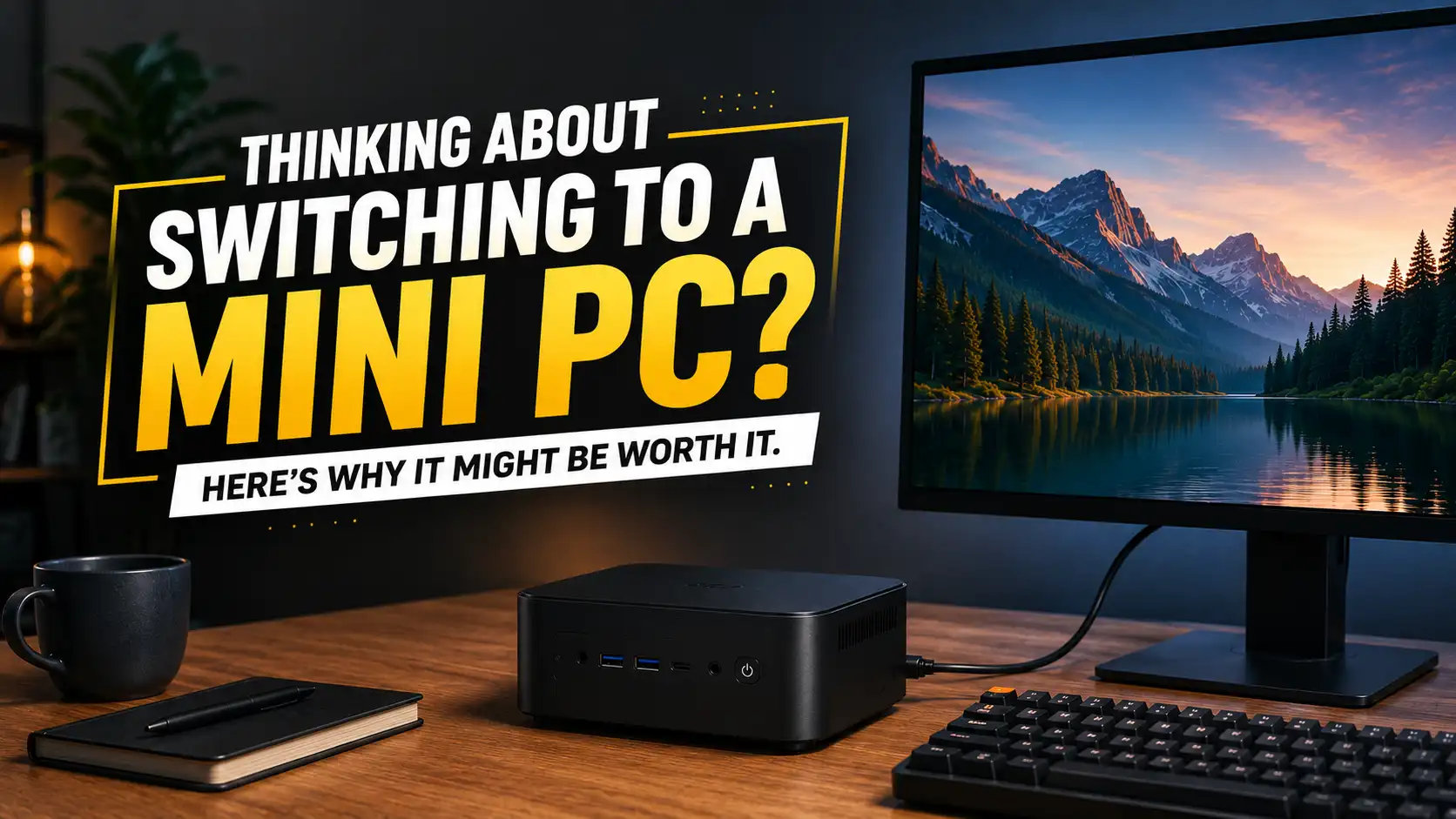
If you’ve been looking at your bulky desktop and wondering whether you really need all that hardware sitting under your desk, you’re not alone. Mini PCs have become surprisingly capable, offering a compact alternative to traditional desktop computers without forcing you to give up the features you actually need. What used to be a niche computer category has now become a practical option for home users, students, professionals, and anyone who wants a cleaner workspace.
The idea is pretty simple: take the essential components of a desktop computer and fit them into a much smaller enclosure. That sounds like a compromise, but modern hardware has made it possible to shrink computers without turning them into glorified office machines. Depending on the model, a Mini PC can handle everyday productivity, streaming, programming, multitasking, creative applications, and even some gaming.
Of course, smaller doesn’t automatically mean better. A traditional desktop still has advantages when you need extensive upgrades, powerful dedicated graphics, or serious cooling capacity. The real question is whether you actually need those things. If your computer spends most of its time browsing the web, working with documents, watching videos, attending meetings, or running everyday applications, a massive tower may be more than you really need.
That’s why Mini PCs are worth a closer look. They can offer a surprisingly good balance between performance, size, power efficiency, and convenience. Before you decide whether one belongs on your desk, though, it helps to understand what a Mini PC actually is and why this compact format has become so popular.
What Exactly Is a Mini PC?
A Mini PC is a compact desktop computer that puts the essential components of a conventional PC into a much smaller chassis. Instead of having a large tower under your desk, you get a small box that can sit beside your monitor, on a shelf, or in some cases directly behind your display.
Mini PCs come in many different configurations, so the term doesn’t automatically tell you how powerful the computer will be. Some inexpensive models are designed for basic browsing and office work, while more advanced systems can feature powerful processors, plenty of RAM, fast NVMe storage, and capable graphics hardware.
How Mini PCs Differ From Traditional Desktops
The biggest difference is obviously the physical size. A traditional desktop has plenty of internal space for large cooling systems, dedicated graphics cards, multiple storage drives, and expansion cards. A Mini PC has to fit everything into a much smaller enclosure, so manufacturers have to be more selective about the components and cooling solution they use.
Think of it like comparing a large toolbox with a compact multitool. The toolbox gives you room for almost anything you might need, while the multitool focuses on fitting the most useful functions into a much smaller package. A Mini PC follows that same philosophy.
Mini PC vs. Laptop: What Changes?
A Mini PC can share some hardware with laptops, but the overall experience is different. A laptop is designed to be an all-in-one computer with its own screen, keyboard, touchpad, battery, and speakers. A Mini PC gives you the computer itself and lets you choose the rest of the setup.
That can actually be an advantage if you already have a good monitor and peripherals. Instead of buying an entirely new laptop or replacing an existing desktop setup, you can simply connect the Mini PC to the equipment you already enjoy using.
Why Mini PCs Are Worth Considering
Mini PCs aren’t appealing simply because they’re small. Their real advantage is the combination of compact dimensions, modern hardware, low space requirements, and enough performance for a wide range of everyday tasks. For the right user, that combination can make a traditional desktop tower feel unnecessarily large.
They’re also flexible. You can use a Mini PC as your main work computer, a home entertainment machine, a secondary workstation, a lightweight gaming system, or even a small home server. The same basic form factor can serve very different purposes depending on the hardware inside.
That doesn’t mean every Mini PC is automatically a good deal. You’ll still need to pay attention to the processor, RAM, storage, graphics performance, cooling, ports, and upgrade options. But once you know what to look for, the category becomes much easier to understand.
1. They Take Up Surprisingly Little Space
This is probably the first benefit you’ll notice when moving from a traditional desktop to a Mini PC. Instead of having a large tower sitting underneath your desk or taking up valuable floor space, you can place a Mini PC almost anywhere. Some models are compact enough to sit beside a monitor without attracting much attention.
That extra space can make a bigger difference than you might expect. A less crowded desk gives you more room for speakers, notebooks, controllers, chargers, or simply your hands and keyboard. If you’re working in a small bedroom, apartment, dorm room, or home office, every bit of available space can be useful.
A Cleaner Desk With Less Clutter
A Mini PC doesn’t magically remove cables from your setup, but its small footprint can make cable management much easier. Instead of working around a large case, you can position the computer close to your monitor and route the necessary cables more neatly.
Some Mini PCs can also be mounted behind compatible monitors using a VESA mounting system. Once installed, the computer can practically disappear from your desk. You still get a full desktop operating system, but the computer itself becomes much less noticeable.
Perfect for Small Workspaces
Small workspaces are where Mini PCs really start to make sense. You don’t have to sacrifice a large section of your desk just to accommodate the computer. The Mini PC can sit beside the display, on a shelf, or behind the monitor while leaving the main working area open.
This is especially useful if your desk serves multiple purposes. Maybe you use it for work during the day, gaming at night, and studying afterward. Having a smaller computer gives you more freedom to rearrange the space without having to work around a giant tower.
2. Mini PCs Can Deliver Serious Performance
One of the biggest reasons Mini PCs have become more interesting is the amount of performance manufacturers can now fit into such a small chassis. A compact computer no longer automatically means a slow computer. Modern processors can provide multiple cores, strong integrated graphics, fast memory support, and enough power for demanding everyday workloads.
For normal use, a good Mini PC can feel just as responsive as a much larger desktop. Browsing with lots of tabs, working on documents, watching high-resolution videos, attending video calls, managing files, and switching between several applications can all be handled comfortably when the hardware is properly matched to the workload.
Modern Processors Have Changed the Game
Modern CPU designs are a major reason behind the rise of capable Mini PCs. Today’s processors can deliver impressive performance while using less power and producing less heat than older desktop hardware. That allows manufacturers to build compact systems without relying on enormous cooling solutions.
Of course, processor specifications still matter. If you’re planning to compile large projects, edit video, run virtual machines, or perform other demanding tasks, you’ll want a Mini PC with enough processing headroom rather than simply choosing the cheapest model available.
Integrated Graphics Are Better Than Ever
Integrated graphics have also improved significantly. While they aren’t designed to replace every dedicated graphics card, modern integrated GPUs can handle high-resolution displays, video playback, everyday graphical workloads, and many lighter games without trouble.
This makes integrated graphics particularly attractive for people who aren’t serious gamers. You can save space and avoid the additional heat and power requirements of a dedicated GPU while still getting a smooth experience for normal computing.
3. Lower Power Consumption Can Be a Big Deal
Another advantage of Mini PCs is their potential for lower power consumption. Many compact systems use efficient processors and components designed to deliver useful performance without drawing as much power as a large performance-oriented desktop.
That can matter if your computer runs for many hours every day. For tasks such as browsing, document editing, streaming, and video calls, you don’t necessarily need a system designed to consume large amounts of power. A more efficient computer can simply make more sense for those workloads.
Why Efficiency Matters for Everyday Computing
Power efficiency isn’t only about electricity usage. A system that consumes less power generally has less heat to deal with, which can also influence cooling and fan noise. This can be particularly nice if your Mini PC is sitting directly on your desk or in a quiet room.
The actual power consumption will depend on the processor, workload, and configuration, so don’t assume every Mini PC will automatically use very little electricity. Still, choosing hardware that’s appropriate for your workload can help you avoid paying for performance and power consumption you don’t actually need.
4. They Can Be More Affordable Than You Expect
Mini PCs are available at many different price points, from basic systems for simple computing to powerful models designed for demanding workloads. That range makes it easier to find something that fits your budget without automatically paying for hardware you don’t need.
Another potential advantage is that you may already own the other equipment required for a desktop setup. If you have a monitor, keyboard, mouse, speakers, and webcam, you only need to purchase the computer itself. That can make switching to a Mini PC considerably simpler than buying an entirely new computer setup.
Where the Value Comes From
The best value doesn’t necessarily come from buying the cheapest Mini PC. It comes from buying a system that has enough performance for your needs without paying extra for specifications you’ll never use.
For example, someone who mainly browses the web and works with documents doesn’t necessarily need a high-end processor and huge amount of RAM. On the other hand, spending a little more on memory and storage can make sense if you regularly multitask or work with larger files.
5. Mini PCs Offer Plenty of Connectivity
Despite their small size, many Mini PCs include a surprisingly useful selection of ports. Depending on the model, you may find USB-A, USB-C, HDMI, DisplayPort, Ethernet, audio connections, and multiple display outputs.
That means you can connect most of the devices you’d expect to use with a normal desktop, including monitors, keyboards, mice, external drives, printers, webcams, controllers, and networking equipment. You don’t necessarily have to sacrifice connectivity simply because the computer is smaller.
Ports, Displays, and External Devices
It’s still important to check the exact port selection before buying. Two Mini PCs can look almost identical while offering completely different connectivity options.
If you use multiple monitors, wired Ethernet, external SSDs, or several USB accessories, make sure the model you’re considering has enough suitable ports. A compact computer isn’t very convenient if you immediately need a collection of adapters just to connect your everyday devices.
6. Mini PCs Are Great for Work and Productivity
For everyday work, a Mini PC can be more than enough. Tasks such as writing documents, managing spreadsheets, browsing the web, sending emails, joining video meetings, and using cloud-based applications generally don’t require a large desktop tower. A compact system with a modern processor, enough RAM, and an SSD can handle these tasks comfortably.
This makes Mini PCs especially attractive for remote workers, students, freelancers, and home users. You can connect one to a large monitor and your preferred keyboard and mouse, then enjoy a familiar desktop environment without giving up a large portion of your workspace.
Office Work, Browsing, and Multitasking
The amount of RAM you choose matters if you’re the type of person who keeps dozens of browser tabs open while running several other applications. More memory can help maintain a smoother experience when you’re constantly switching between programs.
For lighter users, however, there’s no reason to chase extreme specifications. A well-balanced Mini PC can provide a fast and responsive experience without wasting money on hardware that will rarely be pushed to its limits.
If you’re looking for compact computers that don’t compromise on performance, check out 10 Mini PCs That Pack Serious Performance into a Tiny Body for some impressive options worth considering.
7. They Can Be Excellent Entertainment Machines
A Mini PC doesn’t have to stay on your office desk. Connect one to your television and it can become a compact entertainment computer for streaming, browsing, music, local video playback, and other media-related tasks.
This can be particularly useful if you prefer having access to a full desktop operating system instead of relying entirely on a smart TV’s built-in applications. You can install the software you want, manage your own files, and use a browser without being restricted to a television’s interface.
Streaming, Media Centers, and Living Room PCs
A Mini PC can work nicely as a living-room media system because it doesn’t take up much space. With a wireless keyboard and mouse, you can control everything from the sofa without needing a large desktop tower next to the television.
It’s also useful if you have a personal media collection or want to connect external storage. The computer can provide more flexibility than many dedicated streaming devices while remaining small enough to hide behind or beside your TV.
8. Some Mini PCs Are Surprisingly Upgradeable
It’s easy to assume that a Mini PC is completely sealed and impossible to upgrade, but that’s not always true. Many models allow users to replace or expand RAM and storage, although the exact options depend on the manufacturer and design.
This can be a useful advantage if you want to keep the computer for several years. You might start with a reasonable amount of storage and later install a larger SSD when your files and applications begin taking up more space.
RAM and Storage Upgrades
Before buying, check whether the RAM is replaceable or soldered and whether the system has one or more storage slots. These details can make a significant difference if you’re planning to upgrade the machine later.
An upgradeable SSD is particularly useful because storage requirements tend to grow over time. Games, videos, applications, photos, and project files can consume available space much faster than expected.
9. They’re Quiet and Less Intrusive
Nobody wants a computer that sounds like it’s preparing for takeoff every time they open a browser. Mini PCs aren’t automatically silent, but efficient hardware and compact cooling systems can make them relatively unobtrusive during everyday workloads.
When you’re browsing, writing documents, watching videos, or working with spreadsheets, a well-designed Mini PC can remain quiet enough that you barely notice it. That’s a nice advantage for bedrooms, study areas, and home offices where background noise can become distracting.
What Happens Under Heavy Loads?
The story can change when you push the hardware for long periods. Gaming, rendering, compiling large projects, or other demanding workloads can cause the fans to spin faster as the system tries to control temperatures.
That’s why cooling should be considered when choosing a Mini PC. A quiet system isn’t necessarily a better system if it struggles with sustained workloads. Look for a good balance between performance, temperatures, and fan noise.
10. Mini PCs Can Work as Dedicated Home Servers
Here’s a use case that doesn’t always get enough attention. A Mini PC can serve as a compact home server for file sharing, media streaming, backups, development environments, home automation, and other lightweight services.
Because the hardware takes up so little room, you don’t need a dedicated server cabinet or a large desktop case sitting somewhere in your home. You can place the Mini PC on a shelf or in another suitable location and let it handle background tasks.
NAS, Media Servers, and Lightweight Services
With suitable external storage, a Mini PC can become the foundation of a simple home file server or media system. It can also run lightweight applications continuously without requiring a traditional desktop-sized machine.
If you’re planning to run a Mini PC 24/7, though, pay closer attention to power consumption, storage reliability, cooling, and network connectivity. A computer that’s perfect for occasional desktop use may not be the ideal choice for continuous server workloads.
11. Mini PCs Can Be Good for Gaming
Gaming is where things get a little more complicated. A basic Mini PC with integrated graphics isn’t going to compete with a high-end gaming desktop, but that doesn’t mean compact computers are useless for gaming. Depending on the hardware, many Mini PCs can handle indie games, older titles, esports games, and other less demanding releases.
The key is to have realistic expectations. If you’re aiming for ultra settings, high refresh rates, and demanding AAA games at high resolutions, a traditional gaming desktop with a dedicated graphics card will usually be the better choice. But if you mainly play lighter games or don’t mind adjusting graphics settings, a Mini PC can provide a surprisingly enjoyable experience.
Casual and Esports Gaming
Games such as competitive shooters, multiplayer titles, strategy games, and older releases can often run reasonably well on capable Mini PCs. Lowering resolution or reducing graphical settings can also make a noticeable difference when you’re using integrated graphics.
Memory configuration matters here too. Some Mini PCs use integrated graphics that share system memory with the CPU, so having sufficient and properly configured RAM can help overall graphics performance.
Mini PCs With Dedicated GPUs
Some larger and more powerful Mini PCs include dedicated graphics hardware, allowing them to handle much more demanding games and creative applications. These systems can offer an impressive amount of performance while remaining significantly smaller than a conventional gaming tower.
However, the advantages come with trade-offs. More powerful hardware produces more heat, requires stronger cooling, and can make the system more expensive. At that point, you’re essentially buying a compact performance desktop rather than a basic Mini PC.
12. They’re Easy to Move Around
A Mini PC isn’t battery-powered like a laptop, but it’s still much easier to move than a traditional desktop. If you need to relocate your workstation between rooms or take your computer somewhere else, carrying a small box is considerably less troublesome than transporting a full-size tower.
This can be useful for presentations, temporary workstations, classrooms, or shared spaces. You can disconnect the Mini PC, put it in a suitable bag, and connect it to another compatible display when you arrive.
Useful for Flexible Setups
The compact size also makes it easier to maintain multiple setups. For example, you could keep your Mini PC in your bedroom during the week and connect it to a larger television on the weekend.
It won’t replace the instant portability of a laptop, but if you mainly need to move your computer occasionally, a Mini PC can offer a convenient middle ground between a stationary desktop and a portable notebook.
13. Things You Should Consider Before Buying
Mini PCs have plenty of advantages, but they’re not perfect. Their compact design can limit upgrade options, cooling capacity, internal storage, and graphics performance depending on the model.
That’s why buying based purely on size or price isn’t a great strategy. Before choosing one, think about the applications you use, how much multitasking you do, what peripherals you need, and how long you expect the computer to remain useful.
Performance and Processor Choice
Don’t judge a Mini PC solely by the processor name. Look at the processor generation, core configuration, graphics capabilities, and how the manufacturer handles power and cooling.
A system designed for web browsing doesn’t need the same hardware as one used for video editing, programming, gaming, or virtual machines. Matching the processor to your workload can save money while still giving you the performance you actually need.
RAM and Storage
RAM affects how comfortably your computer handles multiple applications, while storage determines how many files and programs you can keep locally. For a modern Mini PC, having enough RAM and a fast SSD can make a major difference to the overall experience.
It’s also worth thinking about how quickly your storage needs might grow. If you work with large videos, games, photos, or project files, choosing a Mini PC with upgradeable storage can save you trouble later.
Cooling and Sustained Performance
Cooling is particularly important because a Mini PC has less physical space for large heatsinks and fans. A system might deliver excellent performance for short periods but reduce its speed during a long workload if temperatures become too high.
If you’re planning to use the computer for demanding tasks, look for reviews that discuss sustained performance, temperatures, and fan noise. Short benchmark results don’t always tell the whole story.
Upgradeability and Port Selection
Check whether the RAM can be replaced, how many storage slots are available, and which ports are included. If you use multiple monitors, Ethernet, USB devices, or external storage, make sure the Mini PC can support your setup without requiring a collection of adapters.
Spending a few minutes checking the specifications before buying can save you from an annoying discovery later. A Mini PC can be powerful and compact, but it still needs to fit your actual setup.
Who Should Consider a Mini PC?
Mini PCs make the most sense for people who value compactness, efficiency, simplicity, and enough performance for their actual workloads. They’re particularly suitable for office workers, students, remote workers, casual users, programmers, and people who want a capable computer without a large tower.
They’re also appealing if you already own a good monitor and peripherals. Instead of replacing your entire workstation, you can simply replace the computer and continue using the equipment you already have.
Who Might Be Better Off With a Traditional Desktop?
A traditional desktop is still the better option if you need maximum upgradeability, multiple expansion cards, several internal drives, powerful dedicated graphics, or specialized hardware. Larger cases provide physical room that compact systems simply can’t match.
They’re also a better fit for enthusiasts who frequently upgrade individual components. If you enjoy swapping graphics cards, installing large cooling systems, adding several drives, or experimenting with different hardware, the flexibility of a traditional desktop can be difficult to replace.
How to Choose the Right Mini PC
Start with your workload rather than the specifications you simply want to have. Think about whether you’re buying the Mini PC for browsing, productivity, programming, media, gaming, creative work, or server use.
Once you know what you need, choose the processor, RAM, storage, graphics capability, and connectivity around those requirements. Don’t automatically pay extra for hardware you’ll never use, but don’t buy the cheapest model if you already know your workload will push it too hard.
Define What You Actually Need
Make a simple list of the applications and games you regularly use. If most of your time is spent browsing, working with documents, streaming, and attending video calls, you probably don’t need an expensive performance-focused Mini PC.
If you’re editing video, compiling software, running virtual machines, or playing demanding games, you’ll need more powerful hardware. Knowing your workload makes it much easier to spend your budget where it actually matters.
Leave Some Room for Future Needs
A little performance headroom can be valuable. Buying exactly enough hardware for today’s workload might leave you frustrated when your requirements increase later.
You don’t need to massively overspec your Mini PC, but choosing a model with enough RAM capacity, upgradeable storage, or a slightly stronger processor can help extend its useful life. That can make the initial purchase feel much more worthwhile in the long run.
Conclusion
Switching to a Mini PC can be a surprisingly sensible upgrade if you don’t need the size and expandability of a traditional desktop. For everyday tasks such as browsing, office work, streaming, programming, multitasking, and light gaming, a modern Mini PC can provide plenty of performance while taking up a fraction of the space.
The biggest advantage is really the balance. You get a compact computer that can fit neatly into your workspace without necessarily feeling like you’re settling for something underpowered. With the right processor, enough RAM, fast storage, and good cooling, a Mini PC can become a reliable everyday machine for years.
Of course, they’re not perfect for everyone. If you need a powerful dedicated GPU, extensive internal storage, frequent hardware upgrades, or maximum sustained performance, a traditional desktop may still be the better choice. But if your needs are more practical, a Mini PC could be exactly the kind of simple, compact computer you’ve been looking for.
FAQs
1. Is a Mini PC powerful enough for everyday use?
Yes. A modern Mini PC with a capable processor, sufficient RAM, and an SSD can comfortably handle everyday tasks such as web browsing, office applications, video streaming, video calls, file management, and multitasking. For many users, there is little practical reason to use a large desktop tower for these workloads.
2. Can a Mini PC completely replace a desktop computer?
For many people, yes. If you don’t require a powerful dedicated graphics card, numerous expansion slots, or several internal drives, a Mini PC can provide a full desktop experience. You can connect your own monitor, keyboard, mouse, speakers, and other accessories just like you would with a traditional PC.
3. Are Mini PCs good for gaming?
They can be, but it depends heavily on the hardware. Mini PCs with integrated graphics are generally better suited to esports games, indie titles, older games, and lighter workloads, while higher-end models with stronger graphics hardware can handle more demanding games. Always check performance for the specific games you plan to play.
4. Can I upgrade a Mini PC later?
Some Mini PCs offer useful upgrade options, particularly for RAM and SSD storage. However, others have soldered memory or limited internal expansion. If upgrading matters to you, check the exact specifications and internal design before buying rather than assuming every Mini PC can be upgraded.
5. Is a Mini PC better than a laptop?
Neither is universally better because they are designed for different purposes. A laptop is more practical if you need an all-in-one computer that you can carry around and use anywhere. A Mini PC is often better for a permanent workstation where you already have a monitor and peripherals and want a compact desktop experience.