

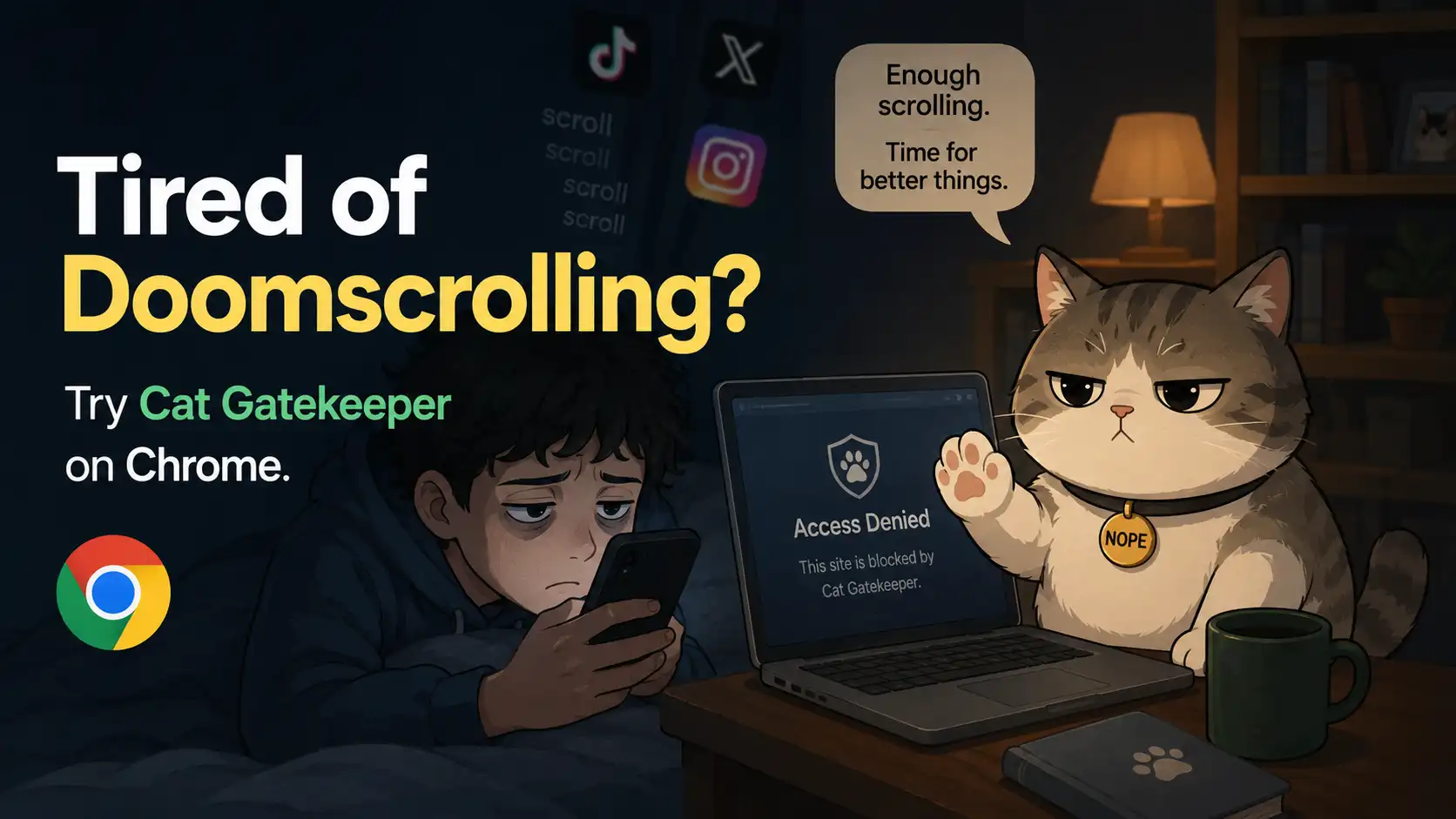
The internet used to feel simple. People opened a browser to search for information, send emails, read articles, or chat with friends before moving on with their day. Today, however, the online world feels completely different. Modern websites and apps are designed to keep users scrolling, clicking, and consuming content for as long as possible. Social media feeds never seem to end, video recommendations constantly appear, and trending topics refresh every second. As a result, many people lose hours online without even realizing it.
You probably know the feeling. You open your browser to check one quick update, but suddenly you are trapped inside endless social media posts, heated online arguments, viral videos, breaking news, and random rabbit holes. Before long, your focus disappears, your mood changes, and your productivity drops dramatically. Even worse, many users finish long scrolling sessions feeling mentally exhausted instead of relaxed or entertained.
This is why digital wellness tools are becoming increasingly important. People no longer want productivity apps that aggressively shame users or completely lock them out of websites. Instead, they want friendlier solutions that help build healthier internet habits without making the experience stressful. That is exactly why Cat Gatekeeper on Chrome has started attracting attention. Instead of acting like a strict digital police officer, this playful browser extension uses adorable cat-themed interruptions to help users pause before falling into another endless doomscrolling spiral.
What Is Doomscrolling and Why Is It So Addictive?
Doomscrolling is the habit of endlessly consuming negative, emotionally intense, or highly stimulating content online for long periods of time. It usually starts innocently. Maybe you want to check one news update or browse social media for a few minutes before continuing your work. However, those few minutes quickly turn into an hour of nonstop scrolling through headlines, arguments, memes, and emotionally exhausting content. Many people continue scrolling even when they realize the experience is making them stressed or anxious.
One reason doomscrolling feels so addictive is because modern platforms are carefully engineered to maximize user engagement. Infinite scrolling systems remove natural stopping points, while recommendation algorithms constantly feed users emotionally charged content that keeps attention locked in place. Every swipe feels unpredictable, almost like pulling a slot machine lever. That uncertainty creates dopamine-driven behavior loops that make it difficult for the brain to stop scrolling voluntarily.
The Psychology Behind Endless Scrolling
Human brains are naturally attracted to information related to danger, uncertainty, conflict, and emotional stimulation. Thousands of years ago, paying attention to threats helped humans survive dangerous environments. Today, however, digital platforms exploit that same survival instinct by constantly delivering emotionally intense content designed to hold attention for as long as possible. News headlines, controversial discussions, and viral social media posts all trigger emotional curiosity that encourages users to keep scrolling.
Infinite scrolling systems are especially powerful because they eliminate clear stopping points. Unlike books, magazines, or television programs that naturally end, social media feeds continue endlessly without interruption. Users keep scrolling because there is always another post, another recommendation, or another emotionally stimulating piece of content waiting below. That endless loop makes doomscrolling feel automatic and difficult to control once the habit becomes deeply ingrained.
How Doomscrolling Impacts Mental Health
Spending excessive time doomscrolling can quietly affect mental health in several ways. Many users report increased anxiety, emotional exhaustion, sleep disruption, reduced focus, and mental fatigue after consuming nonstop streams of negative online content. Even after closing the browser or social media app, the brain often continues replaying stressful information long afterward, making it difficult to relax properly.
Imagine your mind as a room filled with noise. Every alarming headline, heated argument, and emotionally charged video adds more clutter to that room until it eventually feels overwhelming. Over time, constant exposure to digital chaos can leave users mentally drained without them fully realizing why. This is why more people are searching for practical tools that help reduce unhealthy browsing habits while still allowing them to enjoy the internet in a healthier and more balanced way.
Meet Cat Gatekeeper: A Fun Way to Break Bad Habits
Most productivity tools treat distractions like enemies that must be aggressively eliminated. Cat Gatekeeper approaches the problem differently by creating a more playful and emotionally supportive experience. Instead of punishing users or forcing strict digital restrictions, the extension introduces gentle interruptions that encourage awareness without making users feel guilty or controlled.
That softer approach is surprisingly important because many people eventually uninstall aggressive productivity apps out of frustration. Cat Gatekeeper feels lighter, friendlier, and less stressful compared to traditional website blockers. Rather than acting like a strict internet police officer, it behaves more like a playful companion trying to help users avoid another accidental scrolling marathon.
What Is Cat Gatekeeper on Chrome?
Cat Gatekeeper is a Chrome browser extension designed to reduce unhealthy browsing habits such as doomscrolling, excessive social media usage, and impulsive website visits. When users attempt to open distracting websites, the extension displays cat-themed prompts or playful reminders before allowing access. Those interruptions may seem simple, but they create an important pause between impulse and action.
Most doomscrolling behavior happens automatically because users open websites out of habit instead of intentional choice. Cat Gatekeeper interrupts that autopilot behavior by forcing users to become aware of what they are about to do. Sometimes all it takes is a tiny moment of reflection to stop another hour from disappearing into endless scrolling content that provides little real value afterward.
Why People Are Suddenly Talking About It
One reason Cat Gatekeeper has become increasingly popular is because it feels emotionally different from traditional productivity tools. Many focus apps rely on guilt, pressure, or aggressive restrictions that make users feel frustrated over time. Cat Gatekeeper, however, uses humor and adorable visuals to create a more positive experience that feels encouraging instead of stressful.
People generally respond better to gentle motivation than harsh punishment. Instead of creating emotional pressure, Cat Gatekeeper makes habit-building feel more approachable and human. That emotional softness helps users stay consistent with healthier browsing habits because the process feels supportive rather than exhausting or overly strict.
How Cat Gatekeeper Works
At its core, Cat Gatekeeper works by introducing intentional friction into distracting browsing habits. Even small interruptions can significantly reduce impulsive behavior because they disrupt automatic routines before users fully enter another doomscrolling session. The extension essentially helps users regain conscious control over online behavior that normally happens without much thought.
Rather than completely removing internet access, Cat Gatekeeper encourages mindfulness. This balance is important because most people do not want to abandon social media or online entertainment entirely. They simply want healthier boundaries that prevent endless scrolling from consuming large portions of their time and attention every day.
Blocking Distracting Websites
Users can customize which websites they want Cat Gatekeeper to monitor or interrupt. This may include social media platforms, online forums, entertainment sites, shopping pages, or news websites that frequently trigger distraction and excessive scrolling behavior. The extension then activates whenever users attempt to visit those selected platforms.
When the website begins loading, Cat Gatekeeper appears with a playful interruption before allowing full access. That short delay gives users a chance to reconsider whether they genuinely want to continue browsing or whether they opened the site automatically out of habit. Behavioral psychology shows that even tiny moments of friction can dramatically reduce impulsive actions because they interrupt automatic behavioral loops before they fully activate.
Cute Cat Interruptions That Actually Help
The cat-themed design is more than just a funny visual gimmick. Humor genuinely changes how people respond to productivity systems. Instead of displaying harsh warnings or intimidating lock screens, Cat Gatekeeper presents users with adorable cat-themed reminders that feel playful and emotionally light rather than stressful or judgmental.
That softer emotional tone matters because users are less likely to resist supportive guidance than aggressive restrictions. The playful cat interruptions help transform productivity into something more approachable and enjoyable. Surprisingly, that emotional friendliness may actually improve long-term consistency because users feel encouraged instead of punished while trying to build healthier browsing habits.
Why Humor Changes Online Behavior
Humor lowers psychological resistance and makes people more receptive to behavioral change. When users feel criticized or controlled, they naturally become defensive and may reject the productivity system entirely. However, playful interactions reduce emotional tension and create a more comfortable environment for habit-building.
Think about the difference between a strict coach yelling aggressively versus a funny mentor encouraging improvement with humor and positivity. Most people respond better to warmth because it feels emotionally safer and less stressful. Cat Gatekeeper uses that same principle by combining productivity support with playful cat-themed encouragement instead of relying on fear, shame, or punishment.
Looking for safer browsing while reducing online distractions? Check out Top Free VPN Services Ranked by Speed and Security to discover the best free VPN options for privacy, speed, and secure internet access.
Key Features of Cat Gatekeeper
Despite its playful appearance, Cat Gatekeeper includes several practical features that make it genuinely useful for people trying to reduce distractions and improve focus online. The extension combines simplicity with customization, allowing users to create healthier internet habits without feeling overwhelmed by complicated settings or aggressive productivity systems.
One of the extension’s biggest strengths is how approachable it feels. Many productivity apps become overly technical or emotionally exhausting after extended use. Cat Gatekeeper avoids that problem by keeping the experience lightweight, user-friendly, and surprisingly enjoyable while still helping users reduce unhealthy scrolling habits effectively.
Easy Chrome Integration
Installing Cat Gatekeeper is simple and requires very little setup time. Users can quickly download the extension from the Chrome Web Store and begin using it within minutes without needing advanced technical knowledge or complicated configuration processes. That simplicity makes the extension accessible even for casual internet users who normally avoid productivity tools.
Once installed, the extension integrates directly into Chrome without disrupting normal browsing performance. Users can immediately customize which websites trigger interruptions and adjust settings according to personal browsing habits. The straightforward installation process helps remove unnecessary friction so users can focus on improving habits rather than struggling with technical setup issues.
Lightweight and Fast Performance
One common problem with browser extensions is that some consume too many system resources and slow down overall browsing performance. Fortunately, Cat Gatekeeper is designed to remain lightweight and efficient, meaning users can run it comfortably without experiencing major speed or memory issues inside Chrome.
That practical performance matters because people are unlikely to continue using productivity tools that negatively affect their browsing experience. Cat Gatekeeper manages to remain simple and responsive while still delivering meaningful behavioral support. This balance between functionality and performance helps make the extension feel less intrusive during everyday internet use.
Custom Website Blocking
Different users struggle with different online distractions. Some lose hours scrolling through TikTok or Instagram, while others disappear into Reddit rabbit holes, endless YouTube recommendations, online shopping sessions, or nonstop news browsing. Cat Gatekeeper recognizes that distractions are highly personal and allows users to customize which websites trigger interruptions.
This flexibility makes the extension feel more personalized and adaptable instead of generic. Users can gradually expand restrictions over time rather than attempting dramatic lifestyle changes immediately. That gradual approach often leads to healthier long-term habit formation because users feel more in control of the process rather than forced into extreme restrictions.
Productivity-Friendly Reminders
Instead of using fear-based messaging or guilt-driven productivity tactics, Cat Gatekeeper encourages healthier browsing habits through friendly reminders and mindful pauses. These reminders help users become more aware of their online behavior without creating emotional stress or frustration.
That softer approach is surprisingly effective because people are more likely to maintain productivity systems that feel emotionally supportive. Rather than associating focus with pressure or punishment, users begin associating healthier internet habits with small positive moments of awareness. Over time, those tiny reminders can gradually reshape browsing behavior in meaningful ways.
Why Cat Gatekeeper Feels Different From Other Productivity Extensions
The productivity app market is crowded with strict blockers, aggressive focus timers, and intense restriction systems designed to eliminate distractions entirely. While those tools can sometimes help temporarily, many users eventually abandon them because the experience feels emotionally exhausting or overly controlling. Cat Gatekeeper stands out because it approaches productivity from a more human perspective.
Instead of treating users like broken machines that need discipline, Cat Gatekeeper acknowledges that distractions are part of normal human behavior. The extension does not expect perfection. Instead, it gently encourages users to become more mindful about where their attention goes each day. That emotional difference completely changes how the productivity experience feels over time.
Less Aggressive, More Playful
Many productivity extensions create frustration by completely locking users out of websites or aggressively punishing distractions. While strict systems may sound effective in theory, they often create emotional resistance that eventually causes users to disable or uninstall the app entirely. Nobody enjoys feeling trapped or controlled while using the internet.
Cat Gatekeeper avoids that problem by replacing harsh restrictions with playful friction. The extension still interrupts unhealthy browsing habits, but it does so in a way that feels lighter and more emotionally approachable. Instead of creating stress, the cat-themed reminders make the experience feel supportive and even entertaining at times, which improves long-term consistency significantly.
Designed for Real Humans, Not Robots
Humans are emotional creatures, not productivity machines. Focus and self-control are influenced by stress, energy levels, emotions, routines, and mental fatigue. Traditional productivity apps often ignore these realities and expect users to maintain perfect discipline every day, which is unrealistic for most people.
Cat Gatekeeper feels more realistic because it acknowledges that people sometimes struggle with distractions and impulsive habits. Rather than demanding perfection, the extension encourages gradual improvement through small moments of awareness. That compassionate approach helps users feel supported instead of judged while trying to build healthier internet habits.
Benefits of Using Cat Gatekeeper Daily
Small behavioral changes often create surprisingly large long-term improvements. Although Cat Gatekeeper may seem simple at first glance, consistently using the extension can positively affect productivity, mental clarity, emotional well-being, and overall internet habits over time.
The goal is not to eliminate online entertainment completely. Instead, Cat Gatekeeper helps users regain intentional control over how they spend time online. That awareness can significantly reduce the feeling of losing hours to endless scrolling without even realizing it happened.
Better Focus While Working
Modern distractions destroy concentration incredibly quickly. Even short interruptions from social media or entertainment websites can break deep focus and reduce productivity for long periods afterward. Many people underestimate how difficult it is for the brain to fully recover concentration after switching attention repeatedly between tasks and online distractions.
By interrupting impulsive browsing behavior, Cat Gatekeeper helps users stay mentally present during work, study sessions, or creative projects. Those small moments of friction reduce the likelihood of accidentally falling into long scrolling sessions that destroy productivity and waste valuable time throughout the day.
Reduced Anxiety and Information Overload
Constant exposure to alarming headlines, heated online arguments, and emotionally intense content can quietly increase anxiety and mental fatigue over time. Many users feel emotionally drained after spending hours online without fully understanding why their mood suddenly feels worse afterward.
Reducing unnecessary exposure to nonstop digital chaos often creates noticeable emotional relief. By helping users become more intentional about internet usage, Cat Gatekeeper can contribute to calmer browsing habits and lower feelings of mental overload throughout the day.
Improved Sleep Habits
Late-night doomscrolling has become one of the biggest enemies of healthy sleep. Many people plan to browse social media or watch videos for just a few minutes before bed, only to realize two hours disappeared while endlessly consuming content online.
Cat Gatekeeper helps interrupt that pattern by creating moments of awareness before users fall deeper into nighttime scrolling sessions. Over time, reducing excessive late-night browsing may improve sleep quality, nighttime routines, and overall energy levels during the day.
Who Should Use Cat Gatekeeper?
Cat Gatekeeper is useful for almost anyone who struggles with impulsive browsing habits, but certain groups may benefit from it especially strongly. The extension works best for users who want healthier online boundaries without relying on extremely strict productivity systems that feel emotionally draining.
Because the extension feels playful rather than aggressive, it appeals to people who dislike harsh website blockers or guilt-driven productivity apps. The softer approach makes healthier habit-building feel more approachable and sustainable over time.
Students
Students constantly battle online distractions while studying, attending classes, or completing assignments. Social media feeds, video platforms, gaming communities, and entertainment websites can easily steal hours of valuable study time without students even realizing how quickly their focus disappeared.
Cat Gatekeeper helps students create healthier browsing boundaries without making the studying experience feel emotionally stressful or restrictive. The playful interruptions encourage awareness while still allowing flexibility, which often works better for long-term consistency than extremely rigid productivity systems.
Remote Workers
Remote work environments create unique productivity challenges because distractions are always nearby. One innocent tab can quickly turn into a long scrolling session that disrupts workflow and reduces concentration significantly throughout the day.
Cat Gatekeeper helps remote workers maintain better focus while still preserving freedom and flexibility online. Instead of completely restricting internet access, the extension gently reminds users to stay intentional about how they spend their attention during work hours.
Social Media Addicts
People who instinctively open social media apps every few minutes may benefit greatly from the awareness-building features provided by Cat Gatekeeper. Many users check platforms automatically out of habit rather than genuine interest, which leads to constant distraction and reduced focus.
By interrupting those automatic habits with playful reminders, Cat Gatekeeper helps users become more conscious of how often they open distracting platforms. That awareness is often the first step toward building healthier digital habits and reducing compulsive scrolling behavior over time.
How to Install Cat Gatekeeper on Chrome
One reason Cat Gatekeeper appeals to so many users is because getting started feels quick and uncomplicated. Many productivity tools fail because setup processes become frustrating or overly technical before users even begin improving their habits. Cat Gatekeeper keeps things simple from the start.
The extension is designed for everyday internet users rather than only highly technical productivity enthusiasts. That accessibility makes it easier for people to immediately integrate the tool into their daily browsing routines without unnecessary complexity.
Step-by-Step Installation Guide
- Open the Chrome Web Store.
- Search for “Cat Gatekeeper.”
- Click the install button.
- Add the extension to Chrome.
- Configure the websites you want to monitor or limit.
- Start browsing more intentionally.
The entire process usually takes only a few minutes. Once installed, users can immediately begin customizing settings according to personal browsing habits and distraction triggers. The simplicity of the setup process helps users focus on behavior improvement instead of struggling with complicated installation instructions.
Quick Setup Tips
When configuring Cat Gatekeeper for the first time, it is usually better to begin gradually instead of aggressively blocking every distracting website immediately. Starting too aggressively often creates frustration and makes productivity systems harder to maintain consistently over time.
A smarter approach is to begin with the website that wastes the most time each day. Once healthier habits start forming there, users can gradually expand settings to include additional distractions. Small victories build momentum and make long-term habit-building feel far more manageable psychologically.
Tips to Stop Doomscrolling Beyond Browser Extensions
Although Cat Gatekeeper is a useful tool, healthier internet habits usually improve fastest when combined with intentional lifestyle changes outside the browser. Productivity tools work best when they support broader habit changes rather than functioning as the only solution.
Building healthier relationships with technology often requires creating better balance between online and offline activities. The goal is not necessarily to abandon the internet completely, but rather to regain intentional control over attention and time.
Create Offline Habits
Many people doomscroll simply because they lack engaging alternatives during free time. When boredom appears, opening social media or entertainment apps becomes the default behavior because it provides immediate stimulation with almost no effort required.
Developing offline hobbies such as reading, exercise, journaling, cooking, drawing, gaming in moderation, or spending time outdoors helps reduce dependence on constant digital stimulation. Replacing doomscrolling with healthier activities creates stronger long-term results than relying on restriction systems alone.
Use Time Limits Wisely
Extremely strict restrictions often fail because they feel emotionally exhausting after a while. Flexible and intentional time limits usually work better because they allow users to enjoy online entertainment without losing complete control over their schedules.
For example, intentionally spending twenty minutes browsing social media feels healthier than unconsciously scrolling for several hours without noticing how much time disappeared. Mindful usage often matters more than complete elimination.
Train Your Brain Gradually
Breaking doomscrolling habits is similar to improving physical fitness. Progress rarely happens instantly. Instead, meaningful improvement usually develops slowly through repetition, consistency, and gradual behavioral adjustments over time.
People often fail because they expect immediate perfection instead of accepting gradual improvement. Small changes repeated consistently tend to create stronger long-term results than dramatic lifestyle overhauls that become emotionally exhausting after a few days.
Common Mistakes When Trying to Quit Doomscrolling
Many people struggle to reduce doomscrolling because they approach the process too aggressively or rely entirely on self-discipline without external support. Understanding these common mistakes can make building healthier digital habits much easier over time.
The internet is specifically designed to capture attention, so struggling with distractions does not mean someone is lazy or weak. It simply means they are human living inside systems optimized to maximize engagement constantly.
Going Too Extreme Too Fast
Deleting every social media app overnight may sound productive, but drastic lifestyle changes are often emotionally difficult to maintain. Many users become overwhelmed by extreme restrictions and eventually return to old habits because the process feels unsustainable psychologically.
Gradual improvement usually works better because it allows the brain to adapt slowly. Small habit adjustments feel less emotionally stressful and are easier to maintain consistently over long periods of time compared to sudden and aggressive lifestyle changes.
Relying Only on Willpower
Willpower alone is unreliable, especially when digital platforms are specifically engineered to trigger emotional engagement and compulsive behavior. Even highly disciplined people can struggle against systems designed by teams of psychologists, engineers, and behavioral scientists focused entirely on maximizing user attention.
This is why external support tools like Cat Gatekeeper can be so effective. By reducing the mental effort required to resist distractions, the extension helps users make healthier browsing decisions more consistently without relying entirely on constant self-control every single day.
Is Cat Gatekeeper Worth Trying?
For many users, the answer is absolutely yes. Cat Gatekeeper succeeds because it understands something incredibly important about human behavior: people respond better to encouragement than punishment. Instead of creating guilt or emotional pressure, the extension introduces healthier browsing habits through humor, awareness, and playful support.
That emotional friendliness makes the experience feel refreshingly different from traditional productivity apps. Users are more likely to continue using tools that feel enjoyable and emotionally supportive rather than stressful or controlling. Cat Gatekeeper transforms digital wellness into something approachable instead of intimidating.
Will the extension magically eliminate doomscrolling forever overnight? Probably not. However, it can create the small moments of awareness that gradually reshape how users interact with distracting websites and social media platforms. Sometimes a tiny interruption is enough to stop another wasted hour from disappearing into an endless scrolling spiral.
Conclusion
Modern internet platforms compete aggressively for human attention every second of the day. Doomscrolling is not simply a lack of discipline or motivation. It is the result of highly optimized digital systems designed to keep users scrolling, clicking, and consuming content for as long as possible. That is why so many people struggle to maintain healthy browsing habits even when they genuinely want to spend less time online.
Cat Gatekeeper feels refreshing because it approaches digital wellness differently. Instead of relying on guilt, punishment, or overly aggressive restrictions, the extension introduces mindfulness through humor, softness, and playful cat-themed interactions. Those small interruptions help users regain awareness of their browsing behavior without making the internet feel stressful or emotionally exhausting.
If you constantly catch yourself opening distracting websites automatically or losing hours to endless scrolling sessions, Cat Gatekeeper may be exactly the gentle reminder your browser needs. Sometimes healthier internet habits do not require extreme restrictions or intense discipline. Sometimes all it takes is a funny cat appearing at the perfect moment to remind you that your attention deserves better.
FAQs
1. Is Cat Gatekeeper free to use on Chrome?
Most versions of Cat Gatekeeper are available for free, although future updates or premium features may introduce optional paid functionality depending on the developer’s plans. For most users, however, the basic features are already enough to help reduce doomscrolling and improve browsing awareness effectively.
2. Can Cat Gatekeeper completely block websites?
Yes, users can configure the extension to either gently interrupt browsing sessions or completely block access to specific distracting websites. This flexibility allows users to choose the level of restriction that feels most comfortable and sustainable for their personal productivity needs.
3. Does Cat Gatekeeper slow down Chrome?
No, Cat Gatekeeper is designed to remain lightweight and efficient during everyday use. The extension generally does not create noticeable performance issues, which makes it practical for long-term use without negatively affecting overall browsing speed or system responsiveness.
4. Is Cat Gatekeeper good for students and remote workers?
Absolutely. Students, freelancers, remote workers, and anyone who struggles with online distractions may benefit greatly from the extension’s awareness-building features. The playful interruptions help users stay mindful of browsing habits without creating unnecessary emotional pressure or stress.
5. Why do playful productivity tools sometimes work better?
Playful productivity tools reduce psychological resistance and make habit-building feel less intimidating. Humor creates positive emotional associations, which often improves long-term consistency because users feel supported rather than punished while trying to improve their digital habits and productivity routines.