

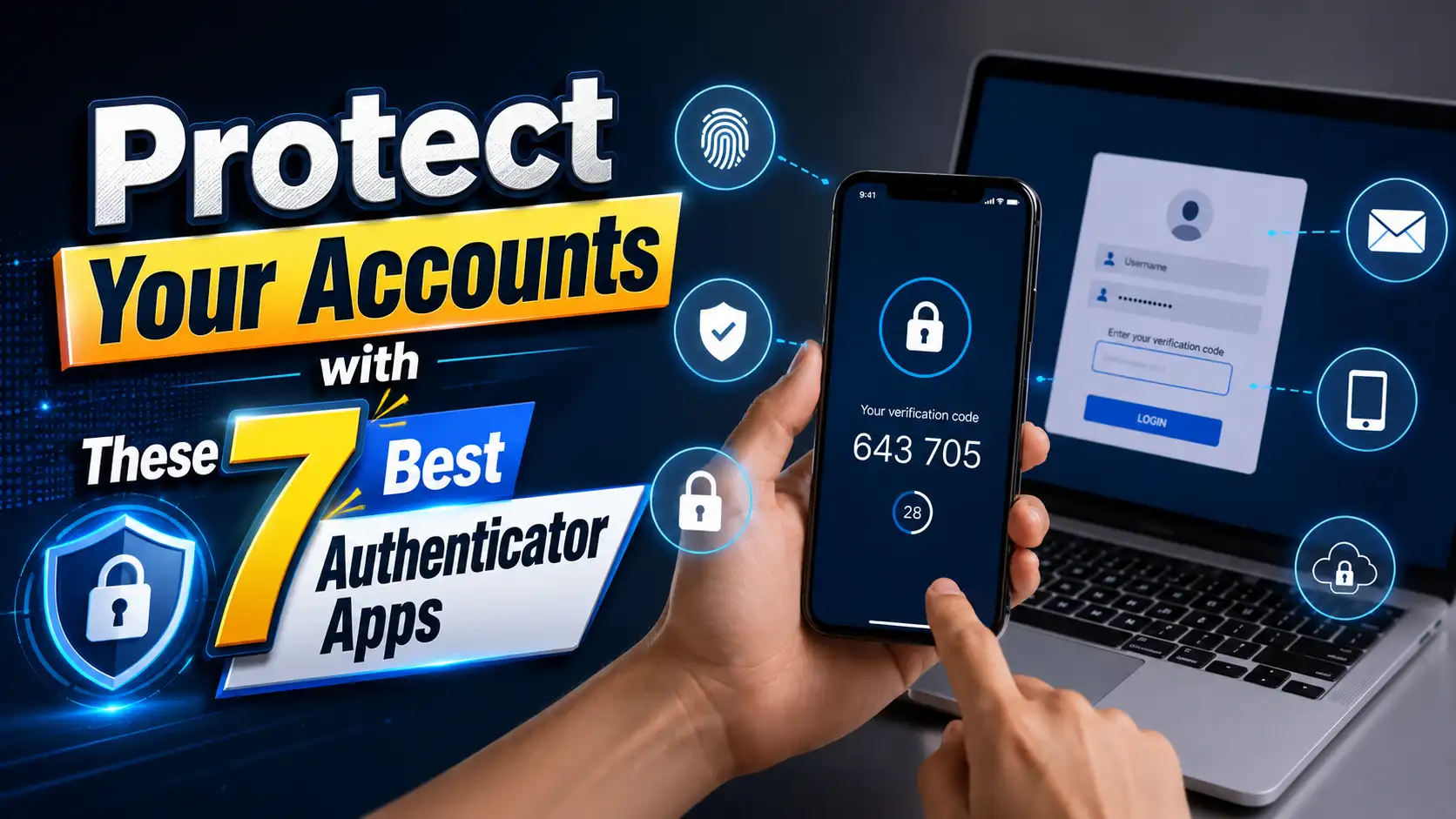
Passwords have been the foundation of online security for decades, but they are no longer enough to keep your digital life safe. Every day, cybercriminals use phishing emails, malware, fake login pages, credential stuffing, and large-scale data breaches to steal user credentials. Even if you create a complex password filled with numbers, symbols, and uppercase letters, there’s always a chance it could be leaked or compromised. Considering how much personal information is stored in email accounts, social media, cloud storage, banking apps, and online shopping platforms, protecting your accounts should be a top priority rather than an afterthought.
This is where authenticator apps become incredibly valuable. Instead of relying solely on your password, these apps generate time-sensitive verification codes that serve as a second layer of protection. Even if someone somehow discovers your password, they still won’t be able to access your account without the temporary code displayed on your trusted device. This additional security measure, known as two-factor authentication (2FA), has become one of the easiest and most effective ways to defend against unauthorized account access.
With so many authenticator apps available today, choosing the right one isn’t always easy. Some focus on simplicity and speed, while others emphasize cloud backups, encrypted synchronization, privacy, or advanced security features for businesses. In this guide, you’ll learn what an authenticator app is, why it’s becoming an essential security tool, how two-factor authentication works, and which seven authenticator apps stand out as the best options for keeping your online accounts secure.
What Is an Authenticator App?
An authenticator app is a mobile application that generates one-time verification codes for two-factor authentication. After linking the app to an online account by scanning a QR code or entering a setup key, it begins producing six-digit security codes that refresh automatically every 30 seconds. When logging in, you first enter your username and password, then provide the current verification code from the app. Since each code expires quickly and is generated directly on your device, it is much more difficult for attackers to intercept or misuse than traditional verification methods.
Most authenticator apps support the widely adopted Time-based One-Time Password (TOTP) standard, allowing them to work with thousands of online services. Whether you’re securing your Google account, Microsoft account, social media profiles, password manager, cryptocurrency wallet, or cloud storage, a single authenticator app can manage verification codes for all of them. Many modern apps also include additional features such as encrypted backups, biometric protection, cloud synchronization, multi-device support, and secure recovery options, making account protection both stronger and more convenient.
Why You Should Use an Authenticator App?
Cyberattacks have become more frequent and more sophisticated than ever before. Password databases are leaked regularly, phishing scams continue to trick millions of users, and automated bots can attempt thousands of password combinations within minutes. If your password is ever stolen or reused across multiple services, hackers may gain access to several accounts with very little effort. By enabling an authenticator app, you create an additional security barrier that prevents attackers from signing in even if they already know your password.
Authenticator apps also offer greater reliability and security than SMS verification. Unlike text messages, which can be delayed, intercepted, or compromised through SIM-swapping attacks, authenticator apps generate verification codes directly on your device without relying on your mobile network. They continue working even without an internet connection or cellular signal, making them an excellent choice for travelers and anyone who wants dependable access to their authentication codes at all times.
How Two-Factor Authentication Works
Two-factor authentication works by combining two different forms of verification before granting access to an account. The first factor is something you know, such as your password, while the second factor is something you have, like your smartphone running an authenticator app. After entering your password, you’ll be asked for the current six-digit code generated by the app. Since these codes refresh every few seconds and are unique to your account, attackers cannot log in successfully unless they possess both your password and your trusted device.
Why SMS Codes Are No Longer Enough
Although SMS verification is still widely available, it is no longer considered the most secure option for protecting online accounts. SMS messages can be delayed, intercepted, or redirected through SIM-swapping attacks, allowing criminals to receive your verification codes if they successfully hijack your phone number. Authenticator apps eliminate these risks by generating codes locally on your device, offering faster access, greater reliability, and significantly stronger protection against modern cyber threats.
Best Authenticator Apps for Better Account Security
1. Google Authenticator
Google Authenticator is one of the most popular authenticator apps in the world, and for good reason. Its clean interface makes it incredibly easy to use, even for people who are enabling two-factor authentication for the first time. Setting up an account simply requires scanning a QR code, after which the app immediately begins generating six-digit verification codes. Recent updates have also introduced optional cloud synchronization for Google accounts, making it easier to recover authentication codes when switching to a new phone.
Despite its simplicity, Google Authenticator remains a reliable choice for securing personal accounts. It supports the industry-standard TOTP protocol and works with thousands of online services, including Google, Microsoft, GitHub, Dropbox, Amazon, and countless others. While it doesn’t offer as many advanced features as some competitors, its lightweight design, fast performance, and trusted reputation make it an excellent option for users who want a straightforward and dependable authenticator app.
2. Microsoft Authenticator
Microsoft Authenticator is much more than a basic code generator. In addition to creating one-time verification codes, it supports passwordless sign-ins for Microsoft accounts, push notification approvals, and secure password autofill. These features allow users to log into supported services with fewer manual steps while maintaining a high level of security. The app also integrates seamlessly with Windows, Microsoft 365, Outlook, Azure, and other Microsoft services.
For people who rely heavily on the Microsoft ecosystem, this app is often the best choice. It includes encrypted cloud backup capabilities, making it easier to restore authentication data after upgrading or replacing a smartphone. Biometric authentication such as fingerprint or facial recognition can also be used to protect access to the app itself, adding another layer of defense against unauthorized access.
3. Authy
Authy has long been recognized as one of the most feature-rich authenticator apps available. Unlike many traditional authenticators, Authy supports multiple devices, allowing users to securely access their authentication codes from smartphones, tablets, or desktop computers. This flexibility is especially useful for professionals who regularly switch between devices throughout the day. The app also offers encrypted cloud backups, reducing the risk of losing all authentication codes if a phone is damaged or misplaced.
Another major advantage of Authy is its user-friendly recovery process. After verifying your identity, you can restore your encrypted authentication data on a new device without manually reconfiguring every online account. Combined with an intuitive interface and strong encryption, Authy provides an excellent balance between convenience and security, making it a favorite among both casual users and experienced cybersecurity enthusiasts.
You can also explore 7 Deep Search Engines Every Researcher Should Know to discover powerful tools for finding information beyond standard search results.
4. 2FAS Authenticator
2FAS Authenticator has become increasingly popular thanks to its strong privacy focus and completely free feature set. The app supports standard TOTP authentication, making it compatible with thousands of online services, while also offering encrypted backups and synchronization options without requiring unnecessary personal data. Its interface is modern, responsive, and easy to navigate, making it suitable for beginners as well as advanced users.
One standout feature of 2FAS is its browser extension support, which allows users to approve authentication requests more conveniently while maintaining high security standards. The application is also open about its privacy practices, avoiding excessive data collection that some users may find concerning. For anyone looking for a free authenticator app that emphasizes both usability and privacy, 2FAS is an outstanding choice.
5. Aegis Authenticator
Aegis Authenticator is widely regarded as one of the best choices for Android users who value privacy and complete control over their authentication data. As an open-source application, its code can be inspected by the community, increasing transparency and trust. The app stores authentication entries locally on your device and allows users to encrypt the database with a password, fingerprint, or other biometric authentication, ensuring that even if someone gains physical access to your phone, your authentication codes remain protected.
Beyond its impressive security features, Aegis offers extensive customization options that many competing apps lack. Users can organize accounts into groups, assign custom icons, import or export authentication entries, and create encrypted backups for safekeeping. Although it doesn’t include built-in cloud synchronization, this design appeals to privacy-conscious users who prefer keeping sensitive information entirely under their own control rather than storing it on external servers.
6. Duo Mobile
Duo Mobile is best known for its strong presence in business environments, educational institutions, and enterprise security systems. Developed to support secure authentication across organizations of all sizes, the app generates standard TOTP verification codes while also supporting push notifications for quick login approvals. Instead of manually entering a six-digit code, users can simply approve a login request with a single tap, making the authentication process both faster and more convenient.
Even though Duo Mobile is widely used by companies, it’s also an excellent choice for personal accounts that support standard authenticator apps. The interface is clean and beginner-friendly, while the app maintains a strong reputation for reliability and security. If you regularly use work accounts protected by Duo Security or simply want an authenticator app backed by enterprise-grade technology, Duo Mobile is a dependable option worth considering.
7. Ente Auth
Ente Auth is a relatively new authenticator app that has quickly gained attention for combining strong security with privacy-focused cloud synchronization. Unlike many traditional authenticators, Ente Auth encrypts your authentication data before it is uploaded to the cloud, ensuring that only you can access your stored information. This end-to-end encryption approach allows users to synchronize authentication codes across multiple devices without sacrificing privacy or security.
The app also supports encrypted backups, cross-platform compatibility, and an intuitive interface that makes managing dozens of accounts surprisingly easy. Since Ente Auth is open source, security researchers and developers can independently review its code, increasing confidence in its implementation. For users who want the convenience of cloud synchronization without giving up control of their sensitive authentication data, Ente Auth is one of the most promising authenticator apps available today.
How to Choose the Right Authenticator App
Choosing the best authenticator app depends on your personal needs, the devices you use, and the level of convenience you expect. While every app on this list provides secure two-factor authentication, certain features may be more important depending on your situation. Some users prioritize cloud backups to simplify device upgrades, while others prefer local-only storage for maximum privacy. Evaluating these features before making a decision can help ensure that your authentication codes remain both secure and accessible when you need them.
Another important factor is long-term usability. As more online services adopt two-factor authentication, you’ll likely end up storing dozens of accounts inside your authenticator app. Selecting an application with a clean interface, reliable backup options, strong encryption, and ongoing developer support will save time and reduce frustration in the future. Investing a few extra minutes to choose the right authenticator app today can make managing your digital security much easier for years to come.
Backup and Recovery Features
Losing your smartphone without a backup can mean losing access to every authentication code stored inside it. Authenticator apps that provide encrypted backups or secure recovery options make it much easier to restore your accounts on a new device without having to reset two-factor authentication for each service individually.
Cross-Platform Compatibility
If you regularly switch between Android, iPhone, tablets, or desktop computers, choosing an authenticator app with cross-platform support can greatly improve convenience. Multi-device synchronization allows you to access authentication codes from different devices while maintaining consistent security across your entire digital ecosystem.
Privacy and Security
Not all authenticator apps handle user data in the same way. Privacy-focused applications often provide local storage, end-to-end encryption, open-source development, or minimal data collection practices. If protecting sensitive information is one of your top priorities, selecting an app with transparent security policies is highly recommended.
Ease of Use
Security tools should be simple enough to use every day without causing unnecessary frustration. An authenticator app with a clean interface, quick QR code setup, biometric protection, and easy account management can encourage users to enable two-factor authentication across more online services, ultimately improving overall account security.
Common Mistakes to Avoid When Using Authenticator Apps
Many users enable two-factor authentication but forget to save their recovery codes or create a secure backup of their authentication data. If the device is lost, stolen, or damaged, recovering access to important accounts can become extremely difficult. Taking a few minutes to store recovery codes in a secure location can prevent hours—or even days—of account recovery later.
Another common mistake is protecting only one or two accounts while leaving others vulnerable. Your email account, password manager, banking apps, cloud storage, cryptocurrency wallets, and primary social media accounts should all have two-factor authentication enabled whenever possible. Cybercriminals often target the weakest account first, then use it to compromise additional services connected to your digital identity.
Tips for Keeping Your Authentication Codes Safe
Protecting your authentication codes is just as important as creating strong passwords. Always secure your smartphone with a PIN, password, fingerprint, or facial recognition to prevent unauthorized access if your device is lost or stolen. You should also keep your operating system and authenticator app updated, as software updates often include important security patches that protect against newly discovered vulnerabilities. If your authenticator app supports encrypted backups, enable the feature so you can recover your accounts more easily after replacing your device.
It’s also a good habit to review your accounts periodically and remove authentication entries that are no longer needed. Store your backup or recovery codes in a safe place, such as a password manager or an offline secure location, rather than saving them in plain text on your phone. Finally, never share your one-time verification codes with anyone. Legitimate companies and support teams will never ask for these codes, and anyone requesting them is almost certainly attempting to gain unauthorized access to your account.
Conclusion
As cyber threats continue to evolve, relying on passwords alone is no longer enough to protect your online accounts. Authenticator apps provide an extra layer of security that significantly reduces the risk of unauthorized access, even if your password is exposed. Whether you prefer a lightweight solution like Google Authenticator, a feature-rich option like Microsoft Authenticator or Authy, a privacy-focused app like Aegis or Ente Auth, or a business-oriented platform like Duo Mobile, there is an authenticator app that fits your specific needs.
The most important step is simply getting started. Enabling two-factor authentication on your email, banking apps, social media accounts, cloud storage, and password manager can dramatically improve your overall digital security. Combined with strong passwords, regular software updates, and safe online habits, the right authenticator app can help protect your personal information and give you greater peace of mind every time you sign in.
FAQs
1. What is the best authenticator app for beginners?
Google Authenticator and Microsoft Authenticator are excellent choices for beginners because they offer simple interfaces, quick setup, and broad compatibility with thousands of online services. They make enabling two-factor authentication straightforward, even if you’ve never used an authenticator app before.
2. Can I use one authenticator app for multiple accounts?
Yes. Most authenticator apps are designed to manage multiple accounts simultaneously. You can store verification codes for email accounts, social media platforms, cloud storage, banking apps, gaming services, cryptocurrency exchanges, and many other supported websites within a single app.
3. What happens if I lose my phone with my authenticator app installed?
If you have encrypted backups or saved recovery codes, restoring access is usually straightforward. Without backups or recovery options, you may need to contact each service individually and complete their account recovery process, which can take time depending on the provider.
4. Are authenticator apps safer than SMS verification?
Yes. Authenticator apps are generally considered more secure because they generate verification codes directly on your device instead of sending them through mobile networks. This reduces the risk of SIM-swapping attacks, message interception, and SMS delivery delays.
5. Do authenticator apps require an internet connection?
No. Most authenticator apps generate time-based verification codes locally on your device, allowing them to work without an internet connection or cellular signal. You only need internet access when initially setting up an account or using optional cloud backup and synchronization features.