

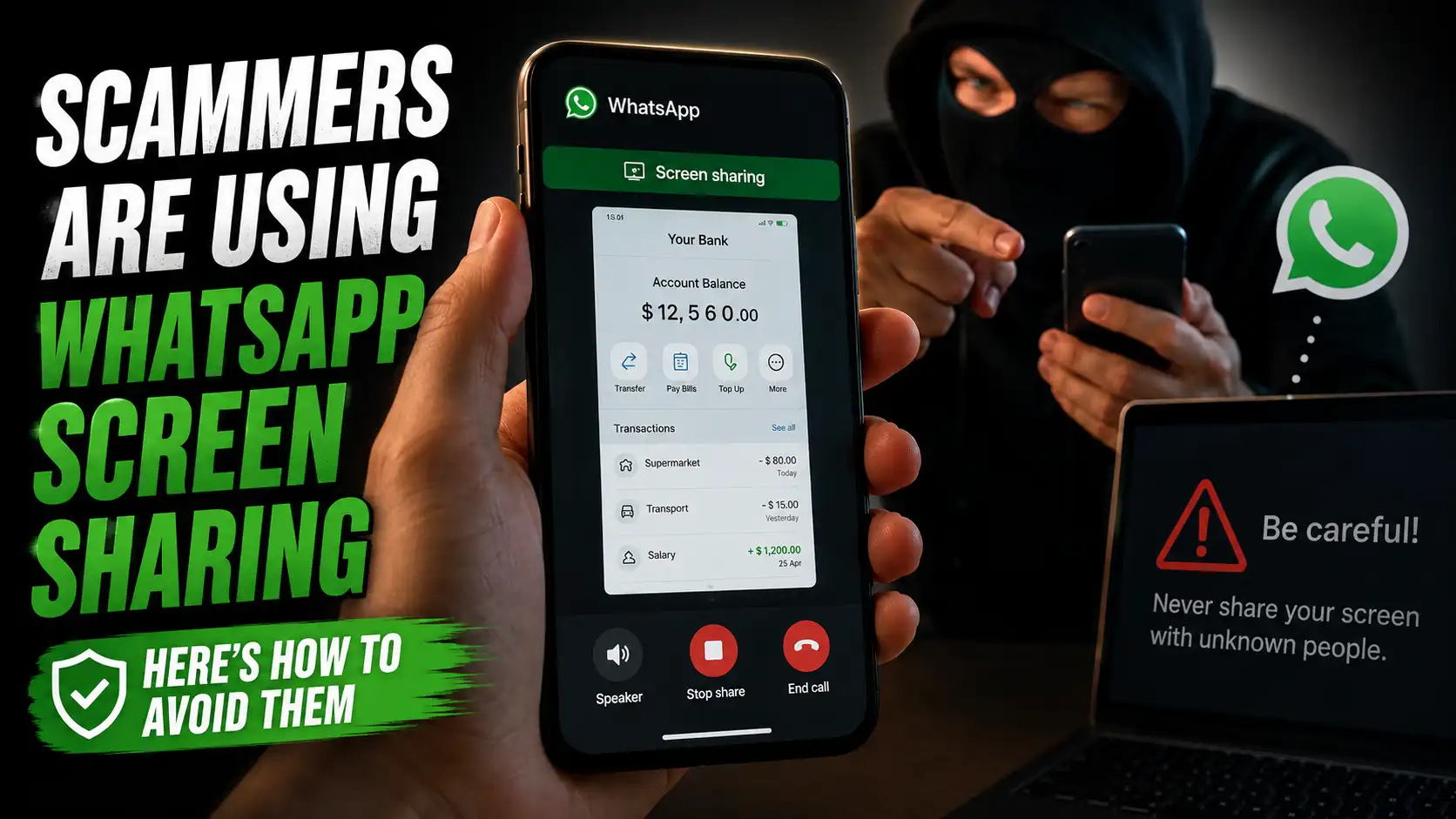
WhatsApp has become one of the most convenient ways to communicate with friends, family, coworkers, and businesses. Unfortunately, scammers are constantly looking for new ways to take advantage of that convenience. One tactic that deserves special attention is WhatsApp screen sharing, where criminals convince victims to show everything happening on their phone screen.
The request can sound harmless at first. Someone might claim to be customer support, a bank representative, a delivery company, or even a friend who needs technical assistance. They may then ask you to make a video call and turn on screen sharing. Once you do, however, information that you never intended to reveal could suddenly become visible.
The good news is that protecting yourself doesn’t require advanced technical knowledge. You mainly need to understand how the scam works, recognize the warning signs, and know when to stop following someone’s instructions. A little skepticism can go a surprisingly long way.
In this guide, we’ll explain how WhatsApp screen-sharing scams work, what scammers may be looking for, the warning signs you should never ignore, and the steps you can take to protect your accounts and personal information.
What Is WhatsApp Screen Sharing?
WhatsApp screen sharing is a feature that allows you to broadcast your device’s screen to other participants during a video call. It’s designed for legitimate purposes, such as helping someone troubleshoot a phone, demonstrating how an application works, or showing another person something on your display.
The feature itself isn’t dangerous. The real problem is sharing your screen with someone you don’t trust. When another person can see your display in real time, anything that appears on it could potentially become visible to them, depending on your device and what you’re doing.
How Screen Sharing Normally Works
During a WhatsApp video call, you can activate the screen-sharing option to let the other participant see your display. Whatever you navigate to while sharing may be visible to them, which is why you should only use the feature when you completely trust the person on the other end.
Why Scammers Are Interested in It
Screen sharing gives scammers a live view of your activity instead of forcing them to guess what information you have. They can watch as you open applications, receive notifications, visit websites, or navigate through account settings, potentially giving them valuable information for a later attack.
How WhatsApp Screen Sharing Scams Work
Most screen-sharing scams start with a convincing story. The scammer may contact you unexpectedly and claim there is a problem with your WhatsApp account, bank account, payment, delivery, or another service. Their goal is to make their request sound urgent and legitimate before asking you to join a video call.
Once you’re on the call, they may instruct you to enable screen sharing and then tell you exactly where to tap. While you’re focused on solving the supposed problem, the scammer is watching your screen and waiting for useful information to appear.
The Fake Support Call
A scammer may pretend to be an employee from WhatsApp, a bank, an online marketplace, or another familiar company. They might claim that suspicious activity has been detected on your account and insist that screen sharing is necessary to verify your identity or fix the issue.
The Fake Verification Trick
Another tactic is to tell you that your account needs to be verified. The scammer may ask you to open an SMS, email, or authentication application while your screen is being shared, hoping that a one-time verification code or other sensitive information appears.
The “Your Account Is in Danger” Scam
Fear is one of the scammer’s favorite tools. They might claim that someone is trying to steal your account or that your access will be blocked unless you immediately follow their instructions, creating panic that makes you less likely to question what they’re asking.
The Psychological Pressure Behind the Scam
Scammers use urgency to stop victims from thinking carefully. When someone tells you that you only have a few minutes to prevent an account from being locked or money from being lost, the natural reaction is to act quickly instead of verifying the story first.
What Scammers Can See During Screen Sharing
The biggest risk isn’t necessarily that a scammer can control your phone. It’s that they can watch what appears on your screen in real time. Messages, notifications, emails, websites, account details, and information inside different apps could become visible while you’re sharing your display.
The danger becomes greater when the scammer tells you exactly what to open or where to tap. You may think you’re following instructions to fix a problem, while the scammer is actually waiting for sensitive information to appear. Even a short screen-sharing session can expose enough information to make a later attack much more convincing.
Passwords and Login Details
If you open a login page while sharing your screen, the scammer may see your username, email address, account name, or other details associated with the account. Even when a password itself is hidden, surrounding information can still reveal useful clues about your accounts and online activity.
Banking and Payment Information
Banking apps can display highly sensitive information, including balances, transaction histories, recipient names, account details, and payment confirmations. A scammer watching your screen could use these details to understand your finances or create a more convincing follow-up scam.
One-Time Passwords and Verification Codes
Verification codes are especially valuable because they’re often used to confirm account access. If an SMS or authentication notification appears while you’re sharing your screen, the scammer may be able to see the code without you realizing it. Never expose or read out a one-time code to someone who contacted you unexpectedly.
Warning Signs of a WhatsApp Screen Sharing Scam
Most WhatsApp screen-sharing scams follow recognizable patterns. The story may involve a different company, problem, or excuse, but scammers commonly rely on unexpected contact, urgency, fear, and requests for sensitive information.
If several of these warning signs appear at the same time, don’t continue simply because the person sounds professional or knows some basic information about you. Stop the conversation and verify the situation through an official channel you find yourself.
Unexpected Video Calls
Be careful when someone you weren’t expecting suddenly calls you and claims there is an urgent problem with your account, payment, delivery, or security. An unexpected video call becomes even more suspicious when the caller quickly asks you to share your screen.
Requests to Share Your Screen
A request to share your screen should immediately make you pause when it comes from someone you don’t completely trust. Ask yourself what they actually need to see and whether there is a safer way to solve the supposed problem without exposing your entire display.
Urgent or Threatening Messages
Scammers often claim that your account will be deleted, your money will be lost, or your access will be blocked unless you act immediately. This pressure is designed to make you react emotionally rather than stop and verify the claim.
Why Urgency Is Such a Powerful Weapon
Urgency creates tunnel vision, making you focus on solving the supposed emergency instead of questioning the person who created it. Simply slowing down can break that tactic because legitimate companies generally don’t need you to make risky decisions under pressure.
If you’re concerned about WhatsApp privacy, learn more in 5 Easy Ways to Read WhatsApp Messages Without Anyone Knowing and discover practical ways to better protect your conversations.
How to Protect Yourself From WhatsApp Screen Sharing Scams
The simplest rule is also the most important: never share your screen with someone you don’t trust. If an unexpected caller claims to be from a company, bank, marketplace, or support team, end the conversation and contact that organization through its official website or app instead.
You should also avoid following instructions that involve opening banking apps, authentication apps, email accounts, or messages while someone is watching your screen. When a person is genuinely trying to help, there are usually safer ways to explain the solution without giving them a live view of your device.
Never Share Your Screen With Strangers
Treat an unexpected screen-sharing request the same way you would treat a stranger asking to look through your phone. It doesn’t matter how convincing their story sounds or how professional they appear; if you didn’t initiate the conversation and don’t know who you’re dealing with, simply refuse the request.
Verify the Person Independently
If someone claims to represent a company or service, don’t use the phone number, link, or contact information they provide during the conversation to verify them. Instead, find the organization’s official contact information yourself and ask whether the supposed problem is real.
Keep Sensitive Apps Closed
If you need to use screen sharing with someone you genuinely trust, close applications containing sensitive information beforehand. Banking apps, password managers, email accounts, private messages, authentication apps, and other confidential services should never be unnecessarily exposed.
What You Should Never Share With a Scammer
Screen sharing isn’t the only thing scammers may request. Once they gain your trust, they might ask for information that can help them access your accounts or impersonate you. These requests should always be treated as major warning signs, especially when they come from someone who contacted you unexpectedly.
Remember that legitimate support staff generally don’t need your private authentication secrets. If someone asks you to reveal a password, PIN, one-time verification code, recovery code, or similar security information, stop the conversation instead of trying to cooperate.
One-Time Verification Codes
Never give someone a one-time password or verification code that was sent to your phone or email. These codes are designed to prove that the person attempting to sign in or perform an action is authorized, so handing one over can potentially help an attacker complete the very action they’re trying to perform.
Passwords and PINs
Your passwords and device or banking PINs should remain private, even when someone claims to be helping you. A legitimate representative should not need you to disclose these secrets, and you should never type them into an unfamiliar website simply because a caller tells you to do so.
Recovery Codes
Recovery codes can be just as important as passwords because they may provide an alternative way to regain access to an account. Store them securely and never show them during a screen-sharing session or send them to someone who contacts you unexpectedly.
What to Do If You Already Shared Your Screen
Don’t panic if you’ve already shared your screen with someone suspicious. The most important thing is to stop the screen-sharing session immediately and end the call. After that, think about what information may have appeared on the screen and treat anything potentially exposed as compromised.
The next steps depend on what the scammer could see. If sensitive account information, verification codes, or financial details were visible, take action as soon as possible rather than waiting to see whether something goes wrong.
End the Call Immediately
Stop screen sharing and disconnect the WhatsApp call as soon as you become suspicious. Don’t stay on the call to argue with the person or listen to additional instructions because the longer the session continues, the more information they may potentially observe.
Change Exposed Passwords
If you entered or displayed a password while the scammer was watching, change it from a trusted device or secure session. Prioritize important accounts first, especially email accounts because they can often be used to reset passwords for other services.
Contact Your Bank If Financial Information Was Exposed
If your banking information, payment details, or financial activity was visible, contact your bank through its official customer-service channel. Explain what happened and ask whether additional security measures are necessary for your account.
How to Make Your WhatsApp Account More Secure
Protecting yourself from screen-sharing scams is easier when your WhatsApp account already has strong security in place. Even if a scammer manages to trick you into revealing some information, additional security measures can make it much harder for them to take over your account.
Start with the basics: keep WhatsApp updated, use two-step verification, protect your phone with a strong screen lock, and avoid installing unknown applications at someone’s request. Security works like several locks on a door; one layer might fail, but multiple layers can make an attack much more difficult.
Enable Two-Step Verification
WhatsApp’s two-step verification adds an extra PIN that can help protect your account from unauthorized registration attempts. Enable it through WhatsApp’s account settings and make sure the PIN is something other people cannot easily guess.
Use a Strong Screen Lock
Your phone itself contains far more information than WhatsApp alone, so protecting the device is essential. Use a strong PIN, password, fingerprint, or another secure authentication method rather than leaving your phone easily accessible to other people.
Keep WhatsApp Updated
Updates can include security improvements and fixes for vulnerabilities. Download WhatsApp updates through your device’s official app store and avoid modified or unofficial versions that claim to provide extra features.
How to Recognize Legitimate Support
One reason these scams work is that scammers often imitate the way real customer-service representatives communicate. They may use company logos, professional language, official-looking profile pictures, or technical terminology to make their identity appear legitimate.
However, appearances aren’t proof. If someone unexpectedly contacts you and immediately asks for screen sharing, passwords, verification codes, or other sensitive information, treat the request as suspicious regardless of how convincing the person sounds.
Real Support Should Not Need Your Secrets
Legitimate support staff generally don’t need you to reveal your passwords, PINs, or one-time verification codes. They may guide you through troubleshooting steps, but there is a major difference between explaining what you should do and asking you to expose private authentication information.
Don’t Trust Caller ID Alone
A familiar-looking name or phone number doesn’t automatically prove that you’re speaking with the real organization. Scammers can use impersonation techniques to make their communications appear more trustworthy, so verify important requests independently.
What If a Friend Asks You to Share Your Screen?
A screen-sharing request isn’t automatically a scam simply because it comes from someone you know. However, a compromised WhatsApp account could potentially be used to contact that person’s friends and pretend to be them, so an unexpected request should still be treated carefully.
If a friend suddenly asks you to share your screen, especially while claiming there’s an urgent problem, contact them through another method if possible. A quick phone call or face-to-face confirmation can tell you whether the request actually came from them.
Verify Before You Share
Take a moment to confirm that your friend genuinely needs help and understands what screen sharing will expose. If they can’t clearly explain why they need to see your screen, don’t activate the feature.
Be Extra Careful With Urgent Requests
An urgent request from a familiar contact can be surprisingly convincing because you already trust the person. Don’t let that familiarity override basic security habits; urgency is still a warning sign, even when the message appears to come from someone you know.
The Bottom Line About WhatsApp Screen Sharing
WhatsApp screen sharing can be a useful feature when you’re using it with someone you trust. The problem starts when a stranger, fake support agent, or compromised contact convinces you to broadcast your screen without understanding what information could become visible.
When in doubt, don’t share your screen. End the call, verify the person’s identity independently, and never reveal passwords, PINs, or verification codes. A legitimate problem can wait a few minutes while you check the facts, but exposing sensitive information to a scammer can create a much bigger problem.
Final Tips to Stay Safe From WhatsApp Scams
Staying safe from WhatsApp screen-sharing scams doesn’t require complicated security tools. Most of the protection comes down to controlling who gets access to your screen and refusing to let strangers rush you into making security decisions. If an unexpected person asks you to share your display, treat the request with caution.
It’s also worth developing a simple habit: stop, verify, and think before you act. Don’t click unfamiliar links, don’t reveal verification codes, and don’t follow instructions simply because someone claims to represent a trusted company. A few seconds of caution can prevent hours of dealing with a compromised account.
Think Before You Tap
Scammers often rely on quick reactions rather than sophisticated technology. Before following an instruction, ask yourself who is making the request, why they need the information, and whether you can verify their identity independently.
Don’t Let Fear Make the Decision
A message saying your account is about to be deleted or your money is in danger can feel alarming, but fear is exactly what scammers want you to experience. Take a breath, end the conversation if necessary, and investigate the claim using an official source.
Keep Your Apps and Phone Updated
Security updates can fix vulnerabilities and improve the overall protection of your device. Keep WhatsApp, your operating system, and other important applications updated through legitimate sources rather than relying on unofficial downloads.
Common Mistakes That Make Screen Sharing Riskier
Many victims don’t realize they’ve made a mistake until after the call ends. One of the most common problems is assuming that a familiar logo, profile picture, or professional-looking message proves someone’s identity. Unfortunately, scammers can imitate these details surprisingly well.
Another mistake is staying on the call after something feels suspicious. You don’t have to prove that someone is a scammer before ending the conversation. If a request feels wrong, you can simply stop communicating and verify the situation independently.
Opening Sensitive Apps While Sharing
Opening your banking, email, password manager, or authentication app during a screen-sharing session can expose information you intended to keep private. If you need to demonstrate something on your phone, make sure sensitive applications and notifications aren’t unnecessarily visible.
Following Instructions Without Verifying Them
Scammers may guide you through several steps while keeping you focused on the supposed problem. Don’t assume an instruction is safe just because it sounds technical or complicated; verify the request before changing account settings, entering credentials, or sharing security information.
Remember These Three Rules
You don’t need to memorize dozens of cybersecurity rules to avoid this type of scam. If you remember only three things, make them simple: never share your screen with an untrusted person, never reveal security codes or passwords, and never let someone pressure you into acting immediately.
These three habits can protect you against many variations of the same scam, even when criminals change their story. Whether they pretend to be support staff, a bank representative, a delivery company, or someone you know, the goal is usually the same: get you to trust them before you realize what information you’re exposing.
Stop
If an unexpected person asks you to share your screen or reveal sensitive information, stop what you’re doing. Don’t continue simply because you’ve already started following their instructions.
Verify
Check the claim through an official channel that you find yourself. Don’t rely on phone numbers, links, or contact details supplied by the suspicious person.
Protect
If you already exposed sensitive information, secure the affected accounts immediately. Change compromised passwords, contact your bank when necessary, and review your accounts for suspicious activity.
Conclusion
WhatsApp screen sharing is a useful feature when used with people you trust, but it can become a serious privacy risk when a scammer convinces you to activate it. The person watching your screen may see notifications, messages, account information, verification codes, or other sensitive details without you realizing how much you’ve exposed.
The best defense is to slow down and verify unexpected requests. Never share your screen with strangers, never reveal passwords or one-time verification codes, and don’t let someone pressure you with threats or urgent deadlines. If someone claims to represent a company, contact that company through an official channel instead of trusting the person who contacted you.
If you’ve already shared your screen with a suspicious person, don’t panic. End the call, consider what information may have been exposed, secure affected accounts, change compromised passwords, and contact your bank or service provider if financial or account information was involved. A few cautious steps can make it much harder for a simple WhatsApp call to turn into a serious security problem.
FAQs About WhatsApp Screen Sharing Scams
1. Can someone hack my phone just because I share my WhatsApp screen?
Screen sharing by itself does not automatically give someone complete control of your phone, but it can expose whatever sensitive information appears on your screen. Scammers may use that information to steal accounts, impersonate you, or carry out other attacks, so you should only share your screen with someone you completely trust.
2. Can scammers see my WhatsApp messages during screen sharing?
Yes, if your messages are displayed on your screen while you’re sharing it, the other participant may be able to see them. Notifications and other visible information can also potentially be exposed, which is why you should avoid opening private conversations or sensitive applications during an untrusted screen-sharing session.
3. Should I share my screen with WhatsApp customer support?
Be extremely cautious with unexpected contacts claiming to be WhatsApp support. If someone contacts you and asks you to share your screen, verify their identity through an official WhatsApp channel before doing anything. Never provide passwords, PINs, or verification codes simply because someone claims to be support staff.
4. What should I do if I accidentally shared my screen with a scammer?
End the screen-sharing session and the call immediately, then consider what information the person may have seen. If passwords, verification codes, banking information, or other sensitive details were exposed, secure the relevant accounts as quickly as possible and contact your bank or service provider when appropriate.
5. What is the easiest way to avoid WhatsApp screen-sharing scams?
The simplest rule is to never share your screen with an unexpected or unverified caller. If someone creates urgency, threatens to close your account, asks for security codes, or insists that you follow instructions immediately, stop the conversation and verify the situation independently before taking any action.